Applying the reverse charge to an intra-Community B2B sale is a decision you may have to justify years later. If a tax authority asks why VAT came off an order, you need the evidence you kept at the time.
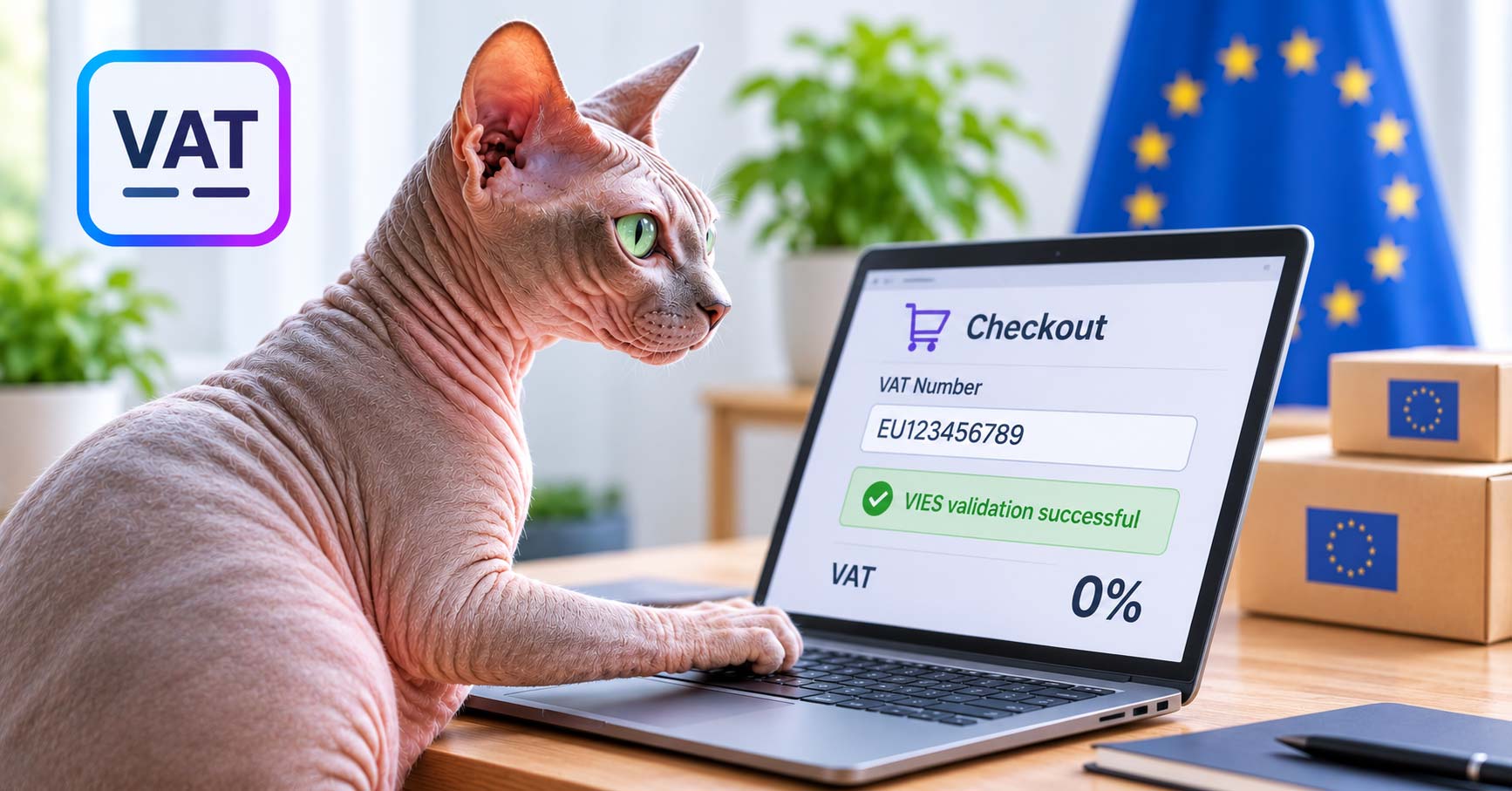
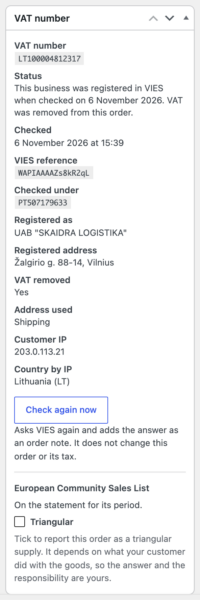
VAT Number and EU VIES Validation for WooCommerce reaches 1.0 today. It asks the customer for their VAT number, checks the format and the check digit on your own server, confirms the number against the European Commission’s VIES service, and records what came back on the order: the answer, when it happened, the name the number is registered to, and the VIES consultation number that proves the check was made.
Why another VAT plugin?
We know there are several on the market. We have been making WooCommerce plugins since 2013, and building shops for clients in Portugal and across Europe, and every VAT plugin we used fell short somewhere: no proof the number was checked, no help with the statement the exemption depends on, and numbers lost when switching plugins.
We kept seeing the VAT number field jump between the billing and shipping sections, and orders in the back end showing it in one or the other. So we built our own, and paid a tax and accounting firm for a written opinion on the rules it applies.
We built what the opinion asked for. Goods and services follow their own rules. A shop that ships from a warehouse in another country can say so in the settings. And when VIES cannot be reached, VAT is charged, unless you choose otherwise.
It asks for the number, validates it, decides on the VAT, and proves why
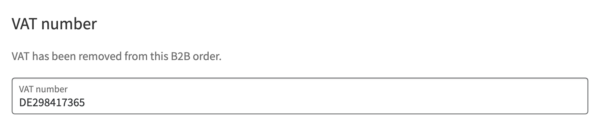
The field works on the block-based checkout that WooCommerce now sets up by default, and on the classic checkout. On the Checkout block, the totals update as soon as a qualifying number is entered, and the field is a real WooCommerce block, so you can move it in the editor. The VAT number always sits with the billing details, on the checkout, the order screen, and the customer’s profile, regardless of the shipping address. One order, one VAT number, always in the same place.
Validation runs cheapest first. Nothing reaches VIES until the number has the right shape and its check digit passes, for all 31 countries the plugin recognizes, so most typos never leave your server.
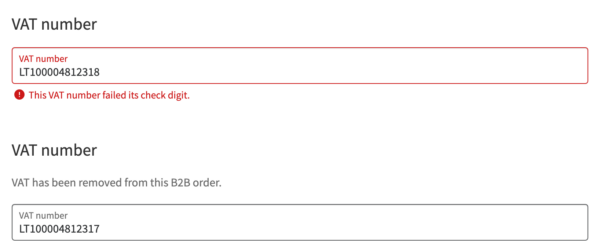
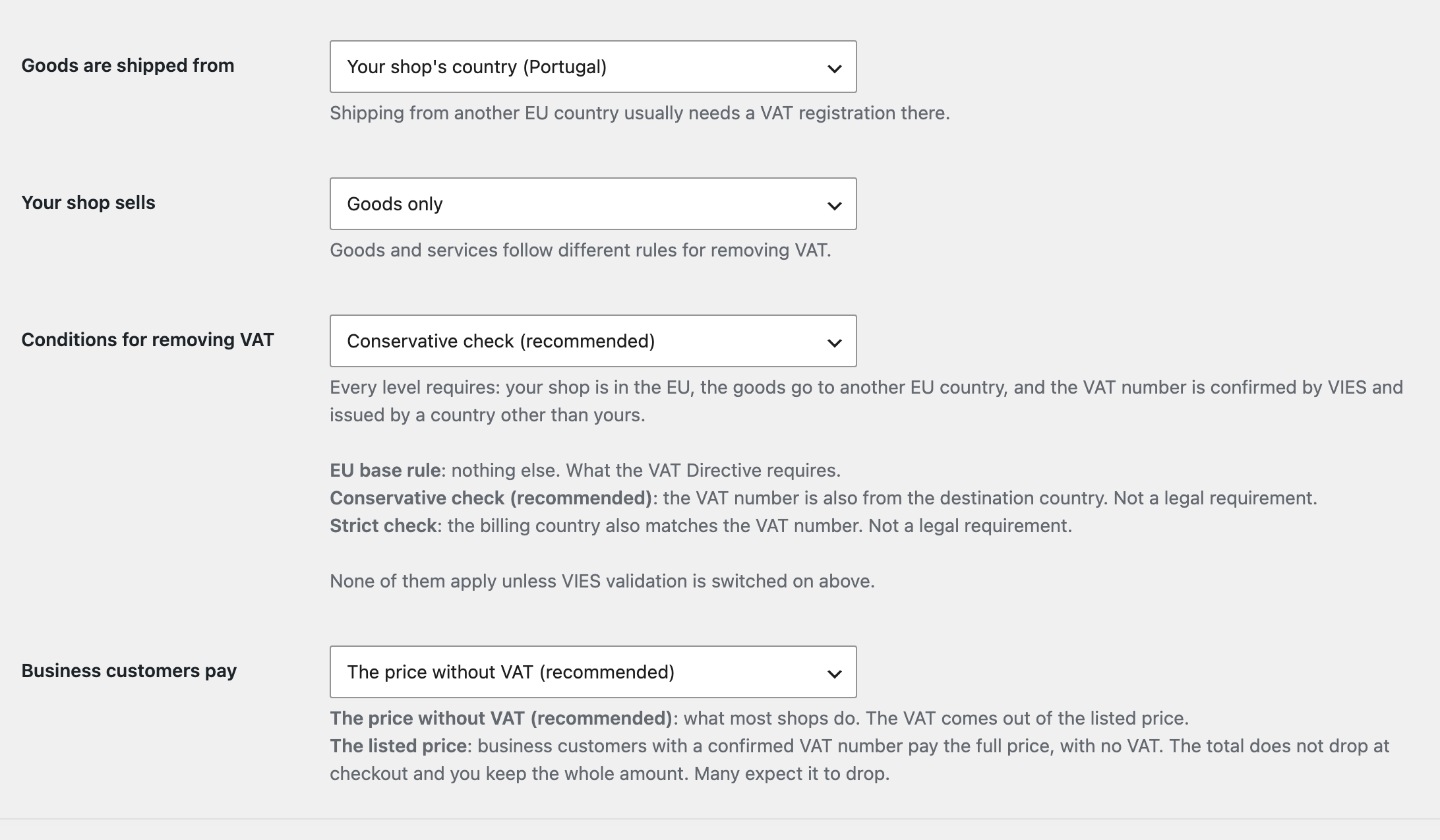
VAT is removed on qualifying intra-Community sales, under conditions you choose from three, named and explained on the settings screen. You mark which products are goods and which are services, and each follows its own rule. A service taxed where it takes place never has VAT removed.
A number VIES does not list is not treated as wrong. VIES lists only businesses registered for trade between EU countries, so the plugin keeps the number, charges VAT, and tells your customer that in plain words. VIES being down is a different thing again, and you decide what happens then: charge VAT, use a recent confirmation of the same number, or refuse the order.
On the orders list, green means the VAT actually came off, not only that VIES confirmed the number. A registered business buying something that still carries VAT is not shown as exempt.
The exemption holds all the way to payment. We tested this with PayPal Payments on both checkouts and by changing the payment method: the customer is charged the total without VAT that the checkout showed.
When your prices include VAT, you decide how to charge
If your prices include VAT, a business customer normally pays less once VAT is removed. You can keep it that way, which most shops do, or choose that they pay the listed price with no VAT: the total stays where it was, and you keep the whole amount.
Check a number before anyone orders
When a customer says their number is valid and the checkout disagrees, open VAT & VIES > Check a VAT number from any screen in your admin and see straight away whether it is the number or VIES.
The reports you file from it
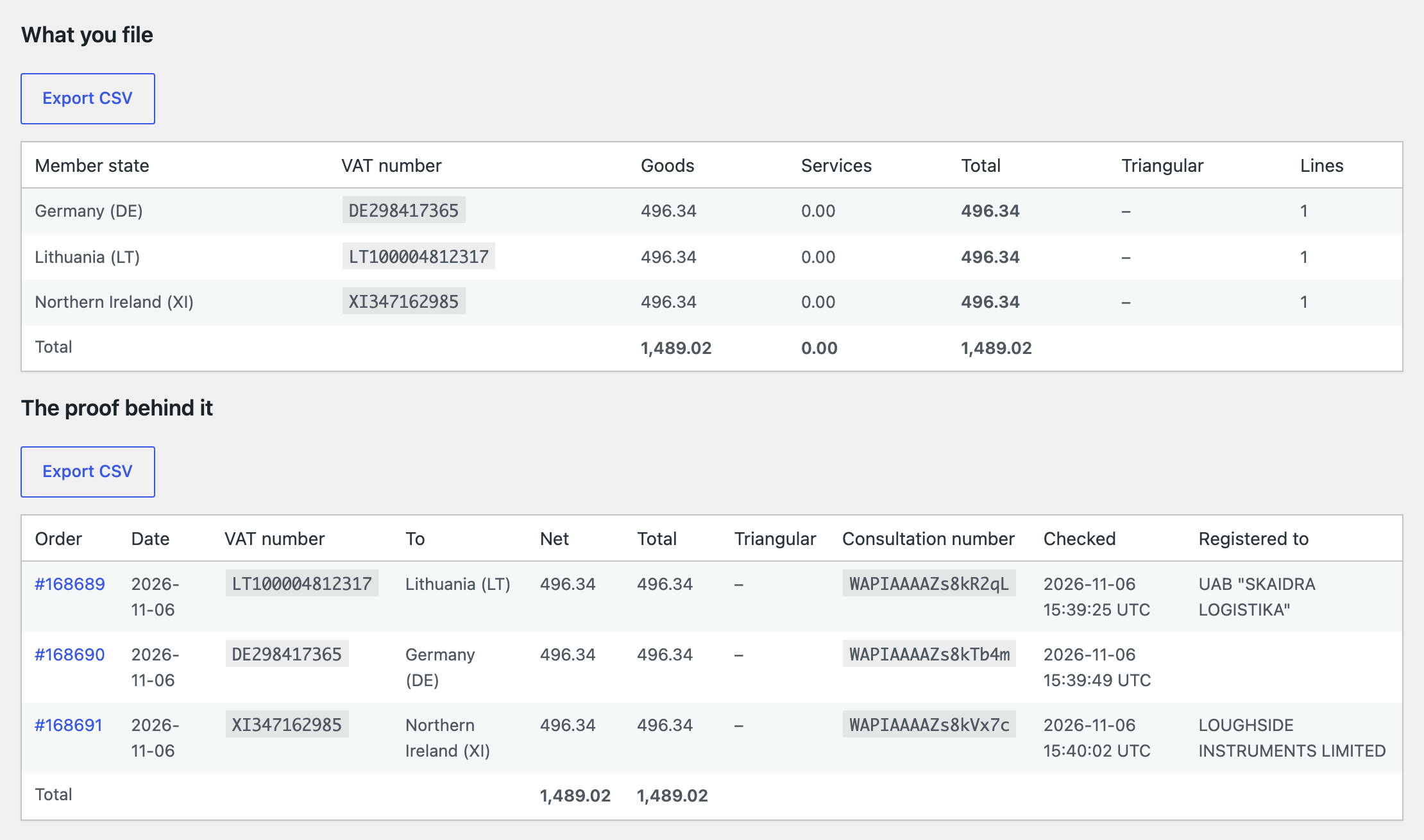
The exemption depends on declaring the sale. The plugin builds the European Community Sales List for each period, goods and services separately, with proof behind every line and a CSV export, and flags the orders worth checking before you file.
For sales to consumers in other EU countries, the EU B2C Sales Report provides the figures behind a One Stop Shop (OSS) return, per country and per VAT rate, including refunds. Other Sales says where every remaining order went. They prepare the figures; you and your accountant file.
Subscriptions
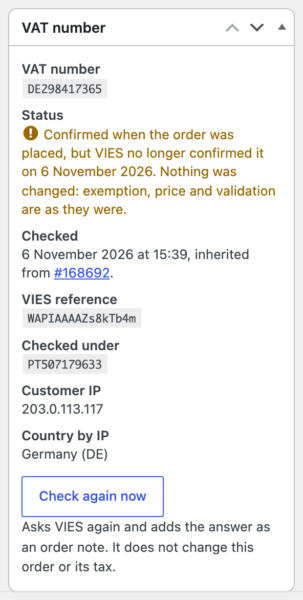
With WooCommerce Subscriptions, the VAT number and its proof carry to every renewal, the proof marked as inherited rather than passed off as a new check. Each renewal is checked against VIES again, and you are emailed if a number stops confirming. Nothing is re-priced behind your back.
Zero-Touch Migration
Already using a VAT plugin? Swap it for this one and everything keeps running, with no migration step. Zero-Touch Migration reads the numbers your old plugin stored from the first page load, and each one converts itself the next time that customer orders. Nothing to export, import, or schedule, and nothing belonging to the other plugin is changed or deleted. It is tested against the current versions of the plugins it reads: WooCommerce EU VAT Number, EU VAT Assistant by Aelia, EU VAT Compliance by Simba, EU/UK VAT Validation Manager by WPFactory, Teamwant VIES VAT, Moloni’s Contribuinte Checkout, and our own InvoiceXpress and NIF plugins.
Works with our other plugins
Invoicing with InvoiceXpress for WooCommerce Pro takes the VAT number and exemption decision from this plugin, so the invoice shows the correct exemption. Shop as Client for WooCommerce PRO fills in the customer’s VAT number when your staff places an order for them.
What it does not do
It decides who is exempt, not what rate to charge: your WooCommerce tax rates still apply to everyone else. It does not file anything. It stores Great Britain, Norway, and Switzerland numbers but doesn’t validate them because none are in VIES; Northern Ireland is covered for goods. If you need the others, let us know.
Try it, or buy it right now
Launch a demo shop and try it with nothing to install, or get it now on the product page: 49 euro a year or 184 euro once, for one site.
Launch discount until November 30, 2026: 50% off the first year, or 25% off the lifetime license.