6 reviews for Shop as Client for WooCommerce PRO add-on
Only logged in customers who have purchased this product may leave a review.


Shop as Client allows administrators, shop managers, and sales teams to place orders on behalf of customers using the normal WooCommerce checkout.
Instead of creating orders in the backend, staff simply shop like a customer and assign the order to the correct client.
Perfect for phone orders, email orders, in-store purchases, customer support teams, and sales representatives.
WooCommerce’s admin order editor is not designed for daily staff ordering.
Shop as Client PRO gives your team a faster and more natural workflow:
Ideal for stores handling assisted orders every day.
Shop as Client for WooCommerce – Manual, Phone & Email Orders PRO is widely used by:

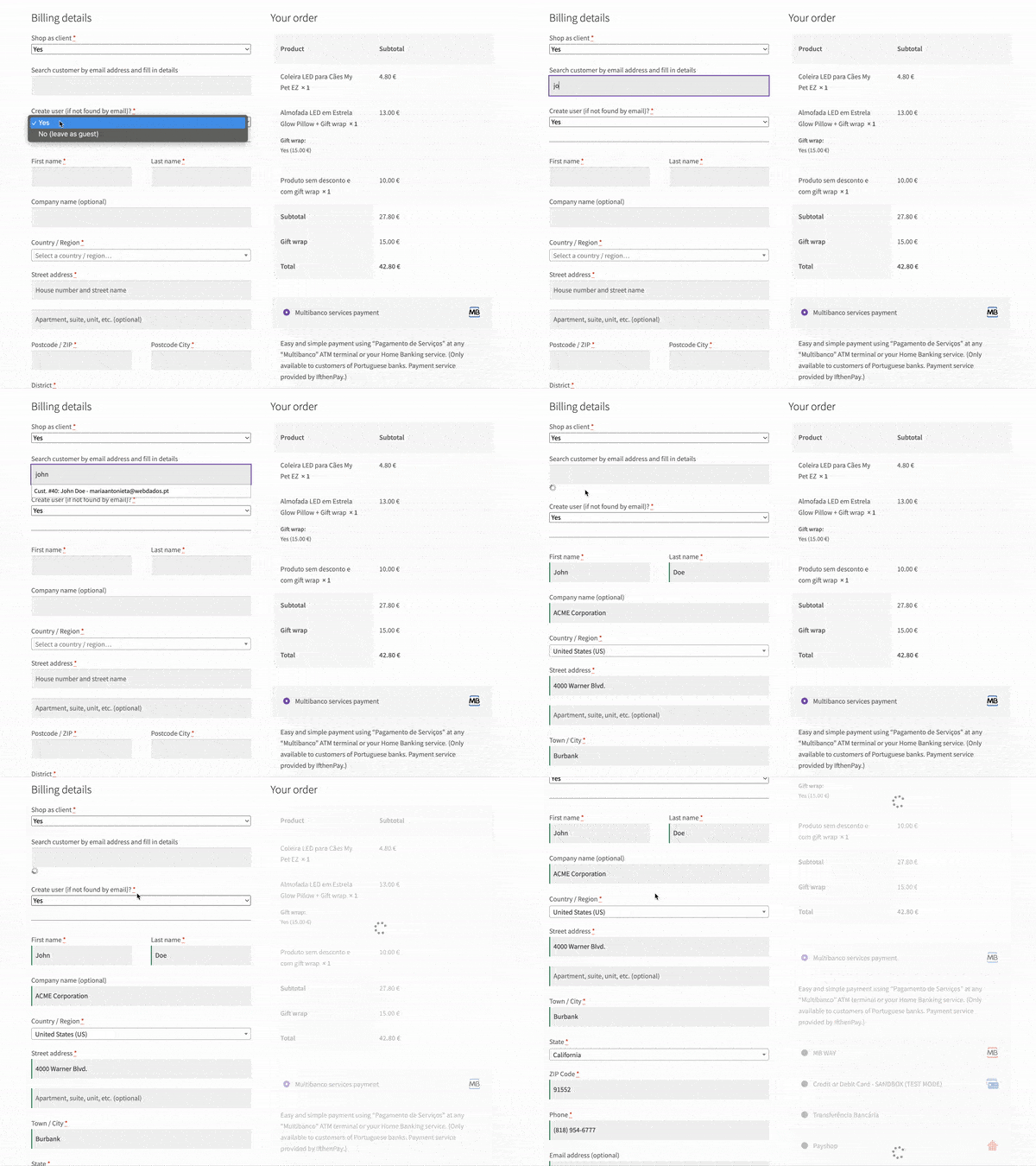
When staff frequently place orders, quickly finding the right customer is essential.
Shop as Client for WooCommerce PRO introduces live customer search with autocomplete results as you type.
Search customers by email address, name, or company, phone number, billing or shipping information, or previous orders.
Results are updated instantly, and when a result is selected, all checkout fields are automatically filled with existing information, making phone orders and B2B workflows dramatically faster.
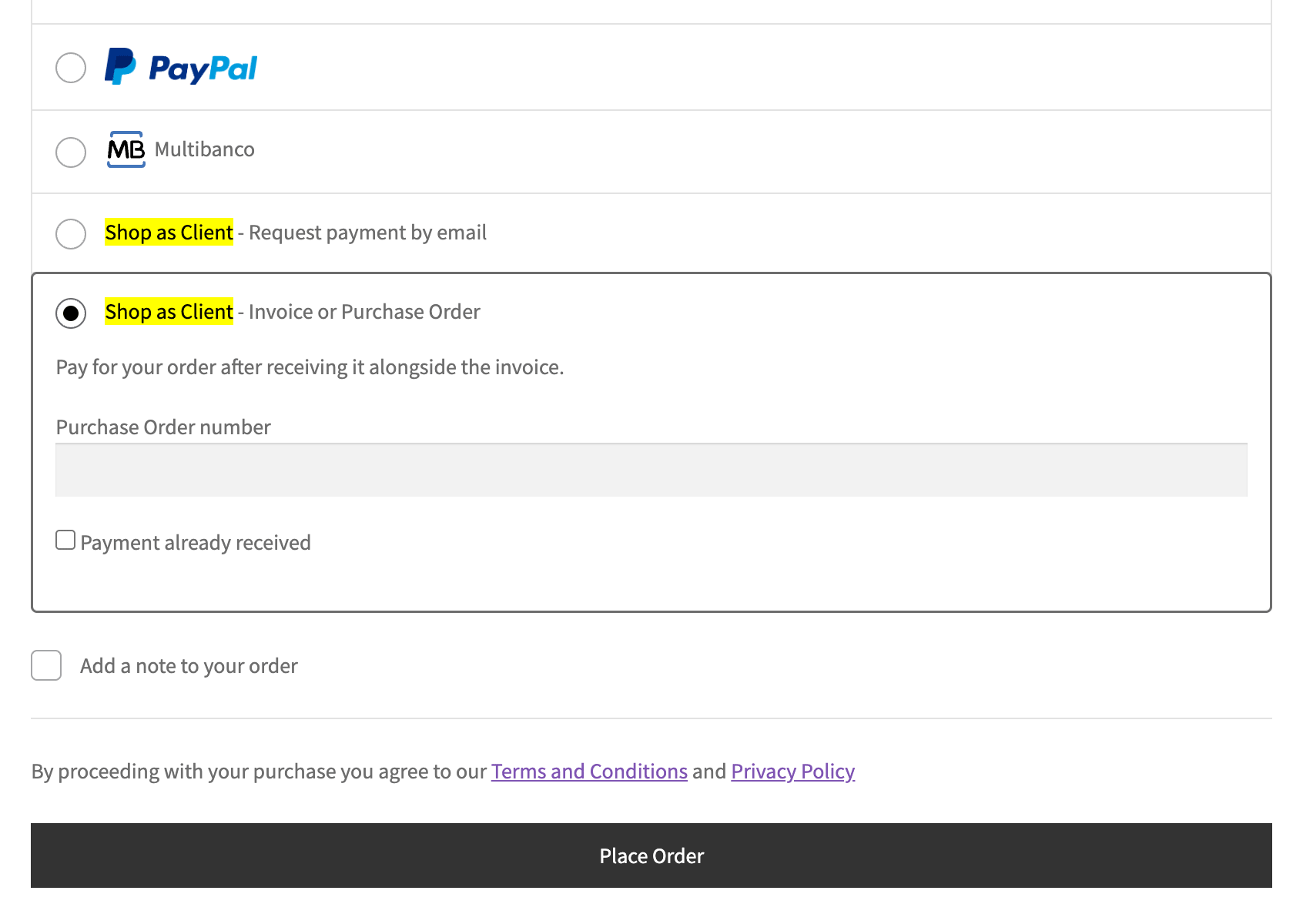
Choose the right gateway for each workflow, or let the customer complete payment themselves after the order is placed. Shop as Client PRO includes two payment gateways designed specifically for assisted sales:
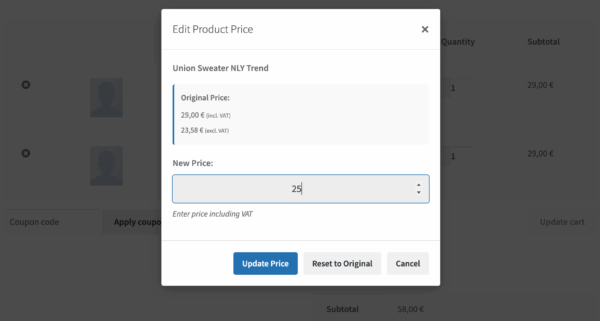
Sales teams often need flexibility when creating orders.
Shop as Client PRO allows authorized staff to adjust product prices directly during checkout, which is perfect for:
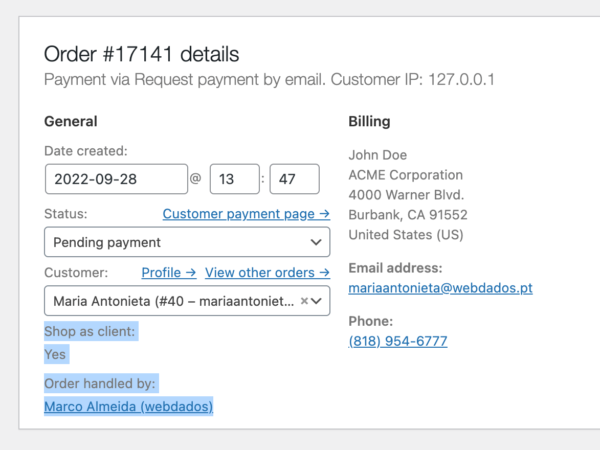
Orders created through Shop as Client behave exactly like customer-placed orders. You keep:
And because the handler ID is stored in order meta, advanced users can generate custom reports or sales representative analytics using external reporting or data processing tools. No special order types. No broken workflows. Just standard WooCommerce orders.
Already using the User Switching plugin?
Shop as Client PRO integrates seamlessly, allowing administrators or sales staff to switch into the customer account and place orders using the customer’s real profile. This means you automatically benefit from any discounts, wishlists, pricing rules, or other functionality provided by third-party plugins for logged-in users.
Orders still record the staff member who handled the sale, so you can maintain full tracking and reporting while working directly with the customer.
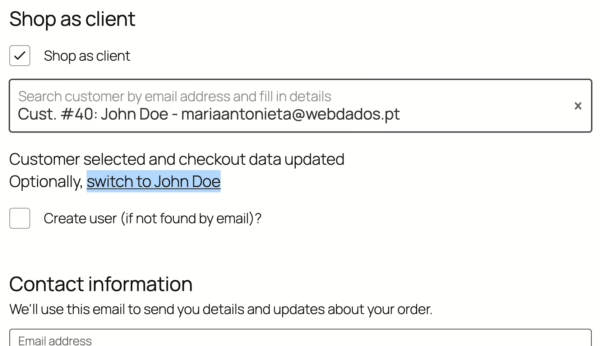
When a customer is selected, Shop as Client automatically populates the standard WooCommerce checkout fields.
If you need custom fields in the block-based checkout, the recommended solution is our Simple Checkout Fields Manager for WooCommerce plugin, which integrates directly with Shop as Client.
For stores using the classic checkout, developers can extend support for additional custom fields using available hooks and filters.
Additional direct integrations are listed below.
Single |
Dual |
Business |
Developer |
|---|---|---|---|
|
For 1 website
|
For 2 websites
|
For 5 websites
|
For 10 websites
|
49 € 56.28 $per year |
19% volume discount 79 € 90.74 $per year |
39% volume discount 149 € 171.15 $per year |
49% volume discount 249 € 286.01 $per year |
|
LIFETIME LICENSE 184 € 211.35 $one-time payment pagamento único |
LIFETIME LICENSE 296 € 339.99 $one-time payment pagamento único |
LIFETIME LICENSE 559 € 642.08 $one-time payment pagamento único |
LIFETIME LICENSE 934 € 1 072.82 $one-time payment pagamento único |
Show prices in (charged price) | (approximate price)
ℹ️ To use this PRO add-on you need the free plugin available at WordPress.org.
Current version: 8.2 Changelog Documentation & FAQ Report security issues
If you discover an issue within 7 days of buying a plugin and our support cannot resolve the issue, you can request a refund. Read the full refund policy.
You're buying limited technical support and automatic updates for this WordPress plugin for one year, with automatic renewals, which you can cancel anytime in your customer area. There's also a lifetime option which doesn't require annual payment.
The technical support, via tickets in your customer area, is limited to the plugin's publicly advertised features and does not include the usage of developer hooks or interoperability with 3rd party plugins or themes. No refunds are issued based on non-advertised features and any eventual refund is only issued at our discretion. For premium support via the phone or remote access, you need to buy premium support hours.
Only logged in customers who have purchased this product may leave a review.
Chris Nova –
I’m in a unique situation. I needed the product to have accessibility features for admins and shop managers to be able to place orders with screen readers. I emailed support and very promptly I had the accessibility features I required.
Great job.
Naked Cat Plugins –
Thanks, Chris, for calling us out on this, and mainly for being an invaluable consultant on the proper implementation of accessibility in the plugin before the new version’s release.
STOCKLOTS.TV sp. z o.o. –
Very efficient. Helpful as always, immediate solution, perfect, working. I recommend them. It’s worth buying anything from them.
Naked Cat Plugins –
Thanks, Adam!
Vietnam Food Europe B.V. –
This is a neat module and very useful for our webshop.
Marco provided great and quick support when an issue arrised on our webshop. Thanks!
Naked Cat Plugins –
Everything for our customers 😀
Maryann Reissig –
Highly recommend! Easy to setup, adds the feature we need. I especially like the Handler display column in the order management for tracking orders.
Excellent support!
James Burden –
I can highly recommend Shop as Client for WooCommerce Pro. It focuses on one thing and does it extremely well. And the intereactions with support have been so helpful as I’ve tried to make specific customisations. Support is quick, super helpful, and focused on finding the best possible solution.
Really appreciate the hard work that has gone into this plugin – and into the support.
AU MWEB –
Super module et support ultra réactif
je recommande à 100%