2 reviews for Simple Checkout Fields Manager for WooCommerce
Only logged in customers who have purchased this product may leave a review.


Finally, you can add custom fields to the block-based checkout in WooCommerce. And to the classic one, if your shop still uses it.
Besides adding custom text, select, or checkbox fields (including optional fields with associated fees), you can also manage the WooCommerce core Address checkout fields, removing, renaming, resizing, changing their position, and making them required or optional, on both checkouts and in My Account.
We’ve been involved from the beginning in discussions about the API launched as experimental in WooCommerce 8.7 and made stable in WooCommerce 8.9. We built this plugin so you can use it with zero code. And we didn’t stop there: your fields work on the classic checkout and on the My Account address forms too.
data- attributes on any field, so your CSS and JavaScript can target it by something you choseSelect the section, the field type, enter its label, and other options.
No REACT, JavaScript, or PHP! No code!
That’s it! A new field is added to your WooCommerce checkout.
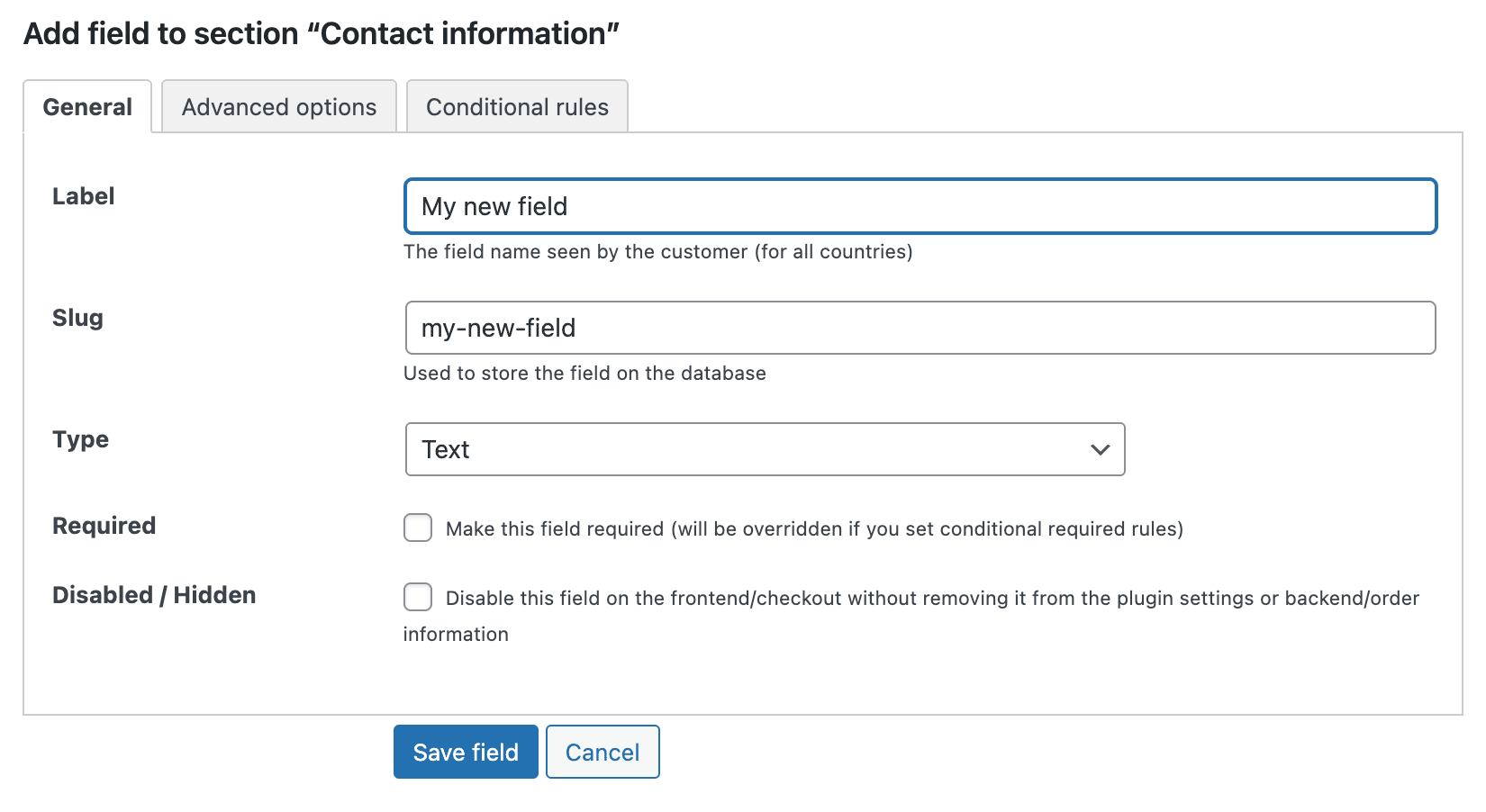
Everything is in one place.
The three sections are: Contact Information, Addresses (Billing and Shipping), and Additional Order Information.
In each section: all the custom and core checkout fields.
Plugin options: License key and who has access to the admin interface.
Import and export field definitions tools.
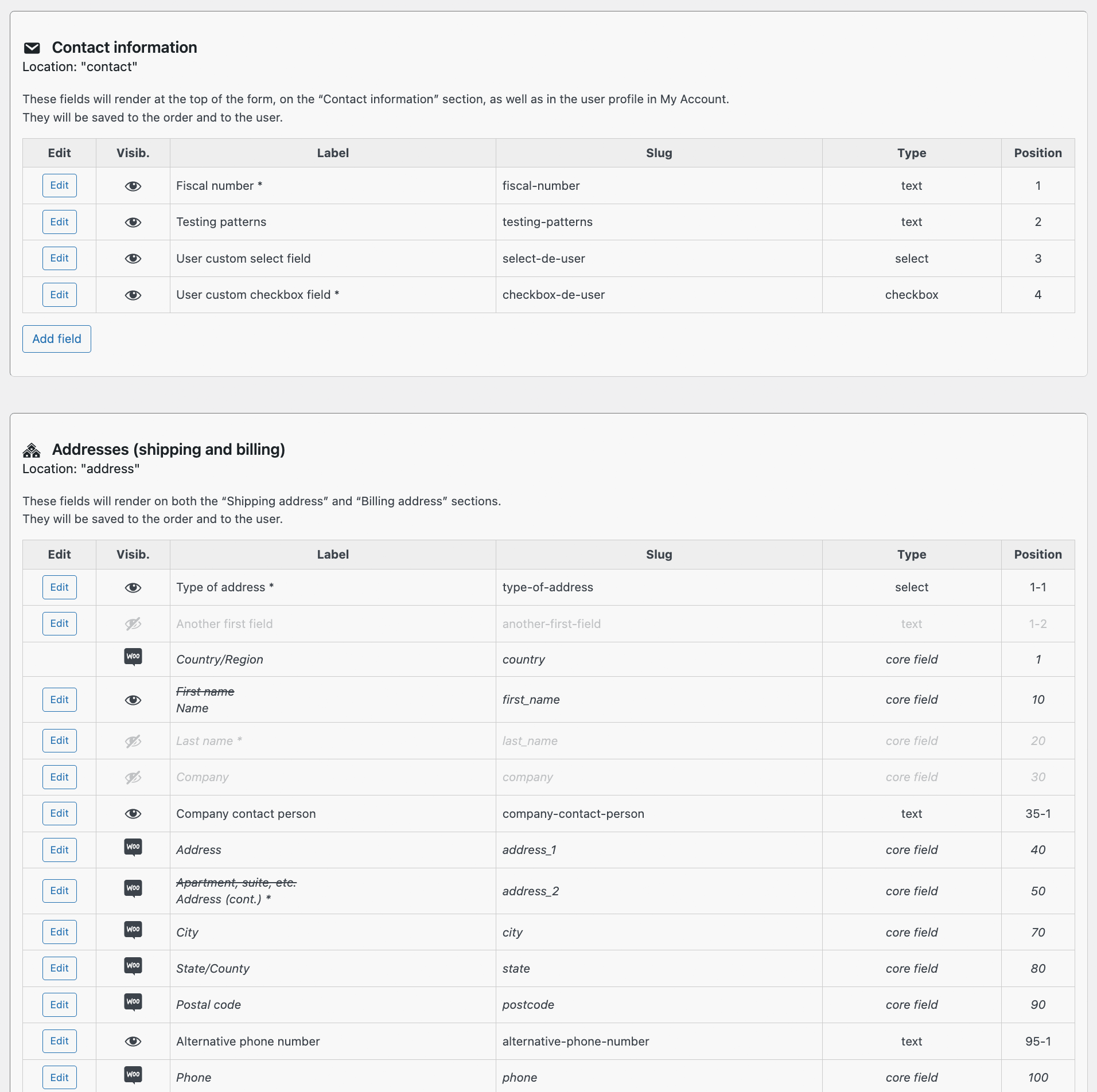
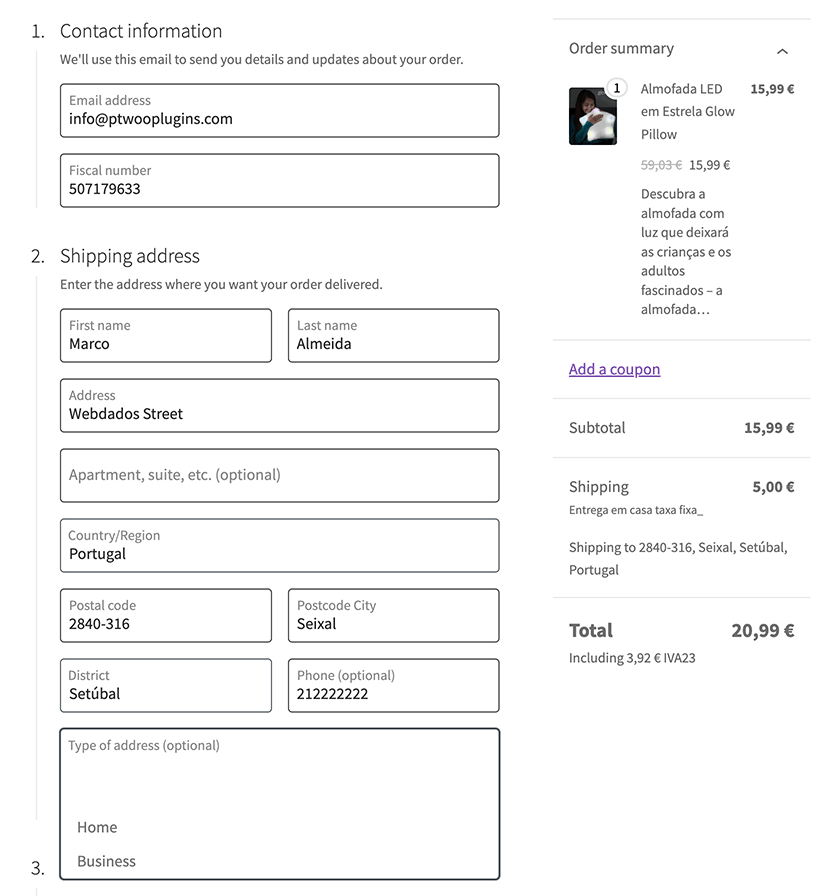
Just like WooCommerce core fields, your custom fields integrate seamlessly with the checkout.
Your fields appear on the order edit screen in the backend, regardless of which checkout took the order. On the block-based checkout, they also appear in the order emails sent to both the customer and the shop owner.
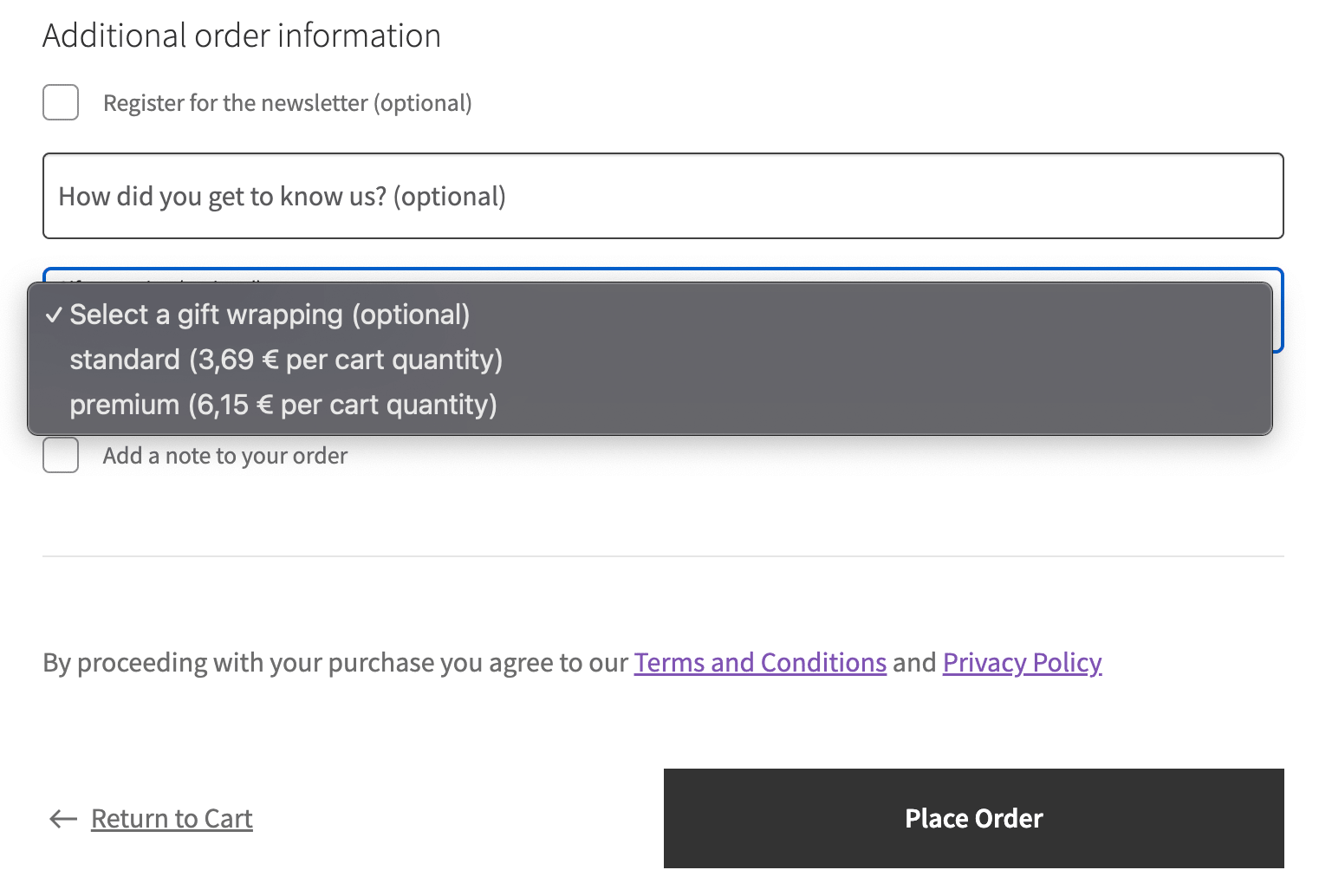
With our exclusive “Select with fee per option” field, you can add extra/optional fees to your checkout, with several calculation options: per order, per unique cart item/line, or per total cart quantity.
Offer optional services and charge for them at checkout. Learn how to do it here.
Available on the block-based checkout, on WooCommerce 9.8 or above.
Visibility and required conditional rules are available for all custom fields, so you can show them or make them required with powerful conditional rules based on other custom or core fields, cart contents and totals, the chosen shipping method, or the customer placing the order.
For example, only show the Gift Wrapping “Select with fee per option” field if the shipping country is Portugal. Or ask “How have you found us?” only to customers placing their first order. Or make a “VAT number” field required only when the order total goes above a certain amount.
Rules can also be combined: only show a text input field if the customer answered “Other” on the “How have you found us?” select field AND the country is Portugal OR Spain.
Available on the block-based checkout, on WooCommerce 10.0 or above.
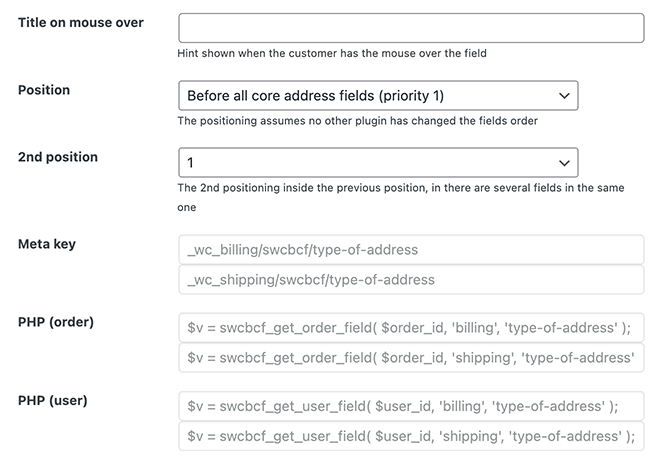
It’s possible to set the order in which the field appears on the checkout, its width, the maximum length and pattern for text fields, the title (mouse over) attribute for more detailed information, and what the browser should offer to fill it in with, so a returning customer barely has to type.
For developers, meta keys, PHP helper functions to retrieve each field’s value, and filter names for PHP validation are available for copy and paste, making integration with your code easy.
Building sites for clients, or shipping your own plugin or theme? Set the fields up once, export them, and bundle the file with your code. They are read straight from the file on every site where it runs, never written to the database, so they always match what is in your repository, and they show up locked in the admin so nobody can change them by accident.
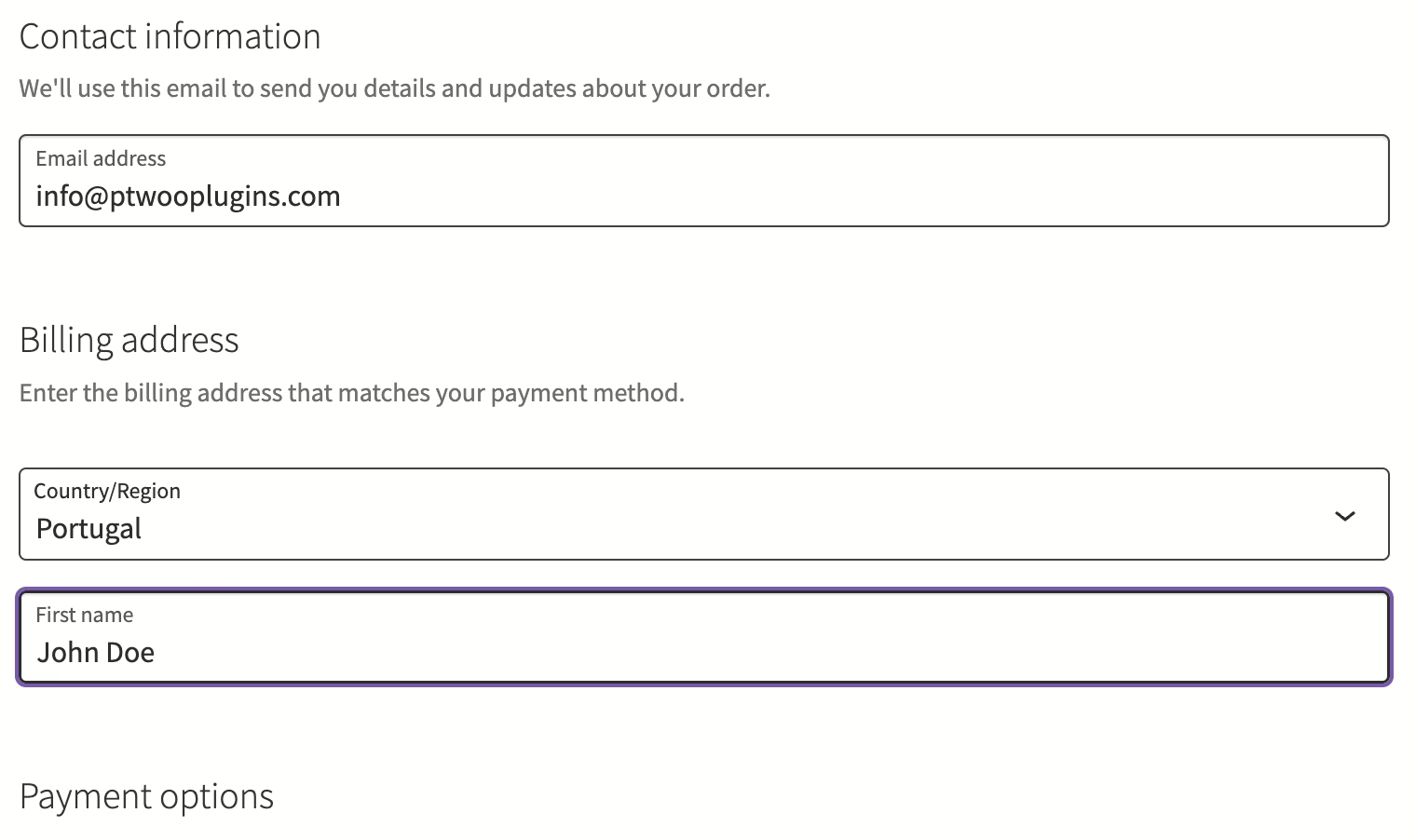
Do you want to make your WooCommerce checkout easier for your customers? For example, if you only sell digital goods, you might want to remove address fields from your checkout.
You can remove/hide core address checkout fields, like “Last name”, “Company name”, “Street address”, “Apartment, suite, unit, etc.”, “City”, “State / County”, “Postcode / ZIP”, and “Phone”, as well as make them required or not, completely or based on the chosen country.
You can also change their labels, their width, and their position. For example, if you remove the “Last name” field, you might want to rename “First name” to just “Name”, and give it the whole line the two of them used to share, won’t you?
“First name” and “Last name” can even use different names for billing and shipping addresses.
This applies to the block-based checkout, the classic checkout, and the My Account address forms.
Single |
Dual |
Business |
Developer |
|---|---|---|---|
|
For 1 website
|
For 2 websites
|
For 5 websites
|
For 10 websites
|
49 € 55.17 $per year |
19% volume discount 79 € 88.95 $per year |
39% volume discount 149 € 167.76 $per year |
49% volume discount 249 € 280.36 $per year |
|
LIFETIME LICENSE 184 € 207.17 $one-time payment pagamento único |
LIFETIME LICENSE 296 € 333.28 $one-time payment pagamento único |
LIFETIME LICENSE 559 € 629.40 $one-time payment pagamento único |
LIFETIME LICENSE 934 € 1 051.62 $one-time payment pagamento único |
Show prices in (charged price) | (approximate price)
Current version: 9.1 Changelog Documentation & FAQ Report security issues
If you discover an issue within 7 days of buying a plugin and our support cannot resolve the issue, you can request a refund. Read the full refund policy.
You're buying limited technical support and automatic updates for this WordPress plugin for one year, with automatic renewals, which you can cancel anytime in your customer area. There's also a lifetime option which doesn't require annual payment.
The technical support, via tickets in your customer area, is limited to the plugin's publicly advertised features and does not include the usage of developer hooks or interoperability with 3rd party plugins or themes. No refunds are issued based on non-advertised features and any eventual refund is only issued at our discretion. For premium support via the phone or remote access, you need to buy premium support hours.
Only logged in customers who have purchased this product may leave a review.
Markovits Kálmán EV –
Perfectly plugin and support! Thank you for your quick help!
Naked Cat Plugins –
Thank you, for using our plugins.
Remkus –
Every so often, a plugin just works beautifully. A client of mine was looking for an easy way to add various fields to the WooCommerce checkout flow.
I found this plugin, and it does what it says on the tin. Perfectly.
Naked Cat Plugins –
Thanks for the kind words Remkus