
Only logged in customers who have purchased this product may leave a review.
Advanced Coupon Restrictions for WooCommerce

Advanced Coupon Restrictions for WooCommerce
Targeted and restricted WooCommerce discount coupons based on advanced quantity, taxonomy, user, subscription, and location rules.
Create coupons for Quantity, any Product Taxonomy, User details, Subscription type, and Order destination.
You can target or restrict WooCommerce coupon usage based on Cart product Quantity, any Product Taxonomy term, User status, User role, Customer amount spent, named customer accounts or email addresses, WooCommerce Subscriptions order type, and Billing or Shipping Country, State or ZIP/Postcode.
Organize your coupons with “Coupon groups”
The same way you can organize your WooCommerce products or blog posts with categories or tags, you can organize your coupons with a new custom taxonomy, “Coupon groups”.
- Make the coupon valid based on the number of items or unique products in the cart
- Restrict coupons based on any Product Taxonomy
- Create coupons for logged-in or guest users
- Apply coupon discounts to specific user roles
- Award your most active clients by issuing coupons based on the amount they have spent so far
- Coupons for new customers (spent zero / first paid order )
- Reserve a coupon for chosen customer accounts, so it cannot be passed on
- Block chosen customer accounts or email addresses, including a whole domain at once
- Allow one coupon for chosen user roles and guest shoppers at the same time
- Allow or block coupons on subscription renewals and new subscription orders
- Create coupons for (or excluding) Billing or Shipping locations
- Make a coupon part of a group for better organization
Apply coupons based on the quantity of products bought
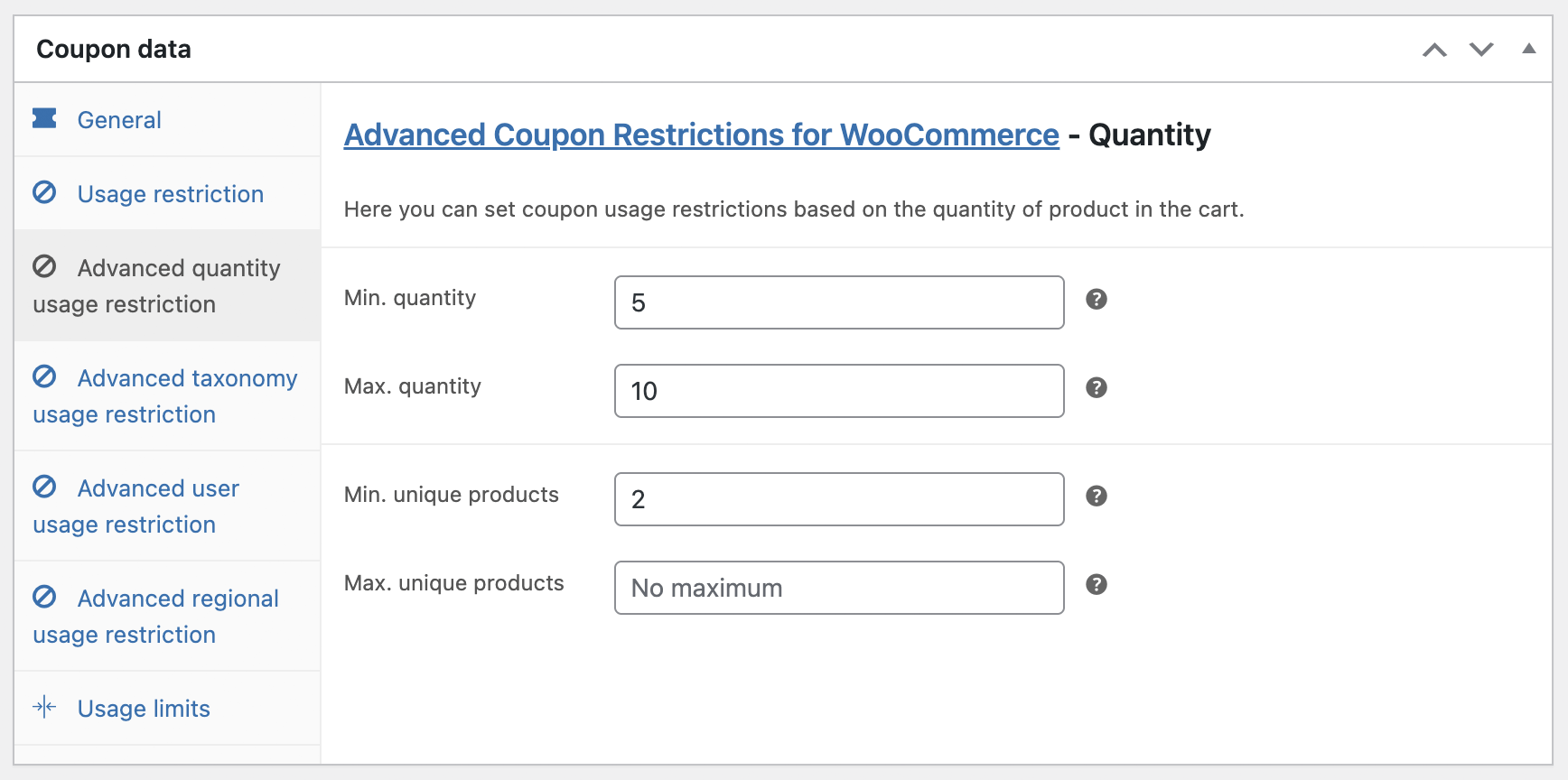
Make the coupon valid based on the total number of items or the number of unique products in the cart.
Let’s say you want to apply a discount only if the user buys between 5 and 20 total items, including at least 2 different products. You got it!
You’re not limited to Product categories anymore
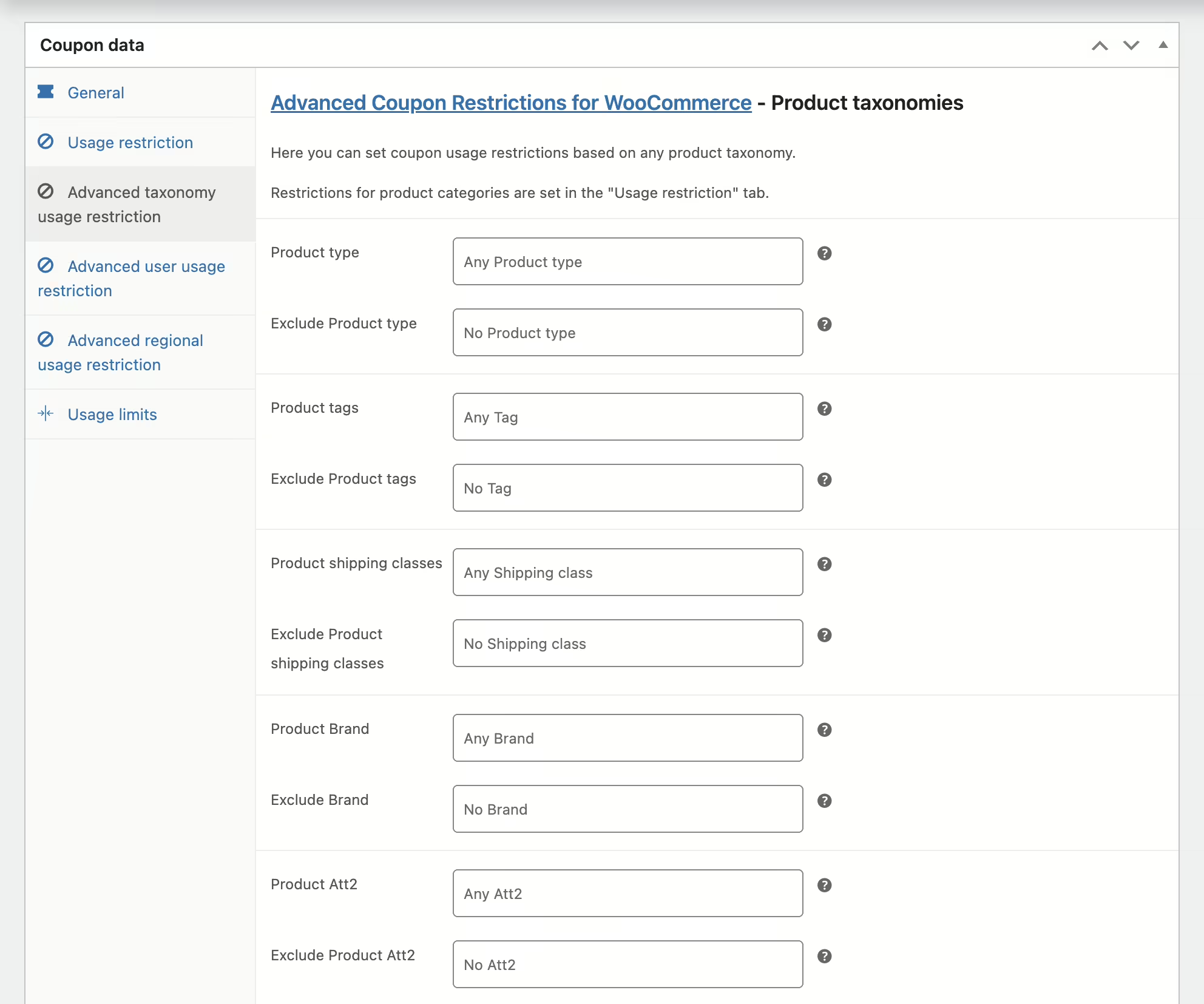
Whatever taxonomy is registered on WooCommerce products (Type, Category, Tag, Brand, Shipping class, …, and even Attributes) will show up on the “Advanced taxonomy usage restriction” tab.
You can target or restrict coupon usage to any taxonomy term, including your own created attributes.
Want to create a coupon only valid for products in the “Shoes” Category, with attribute Size set to “42” and Colour “Black”? No problem!
Reward your new or old customers
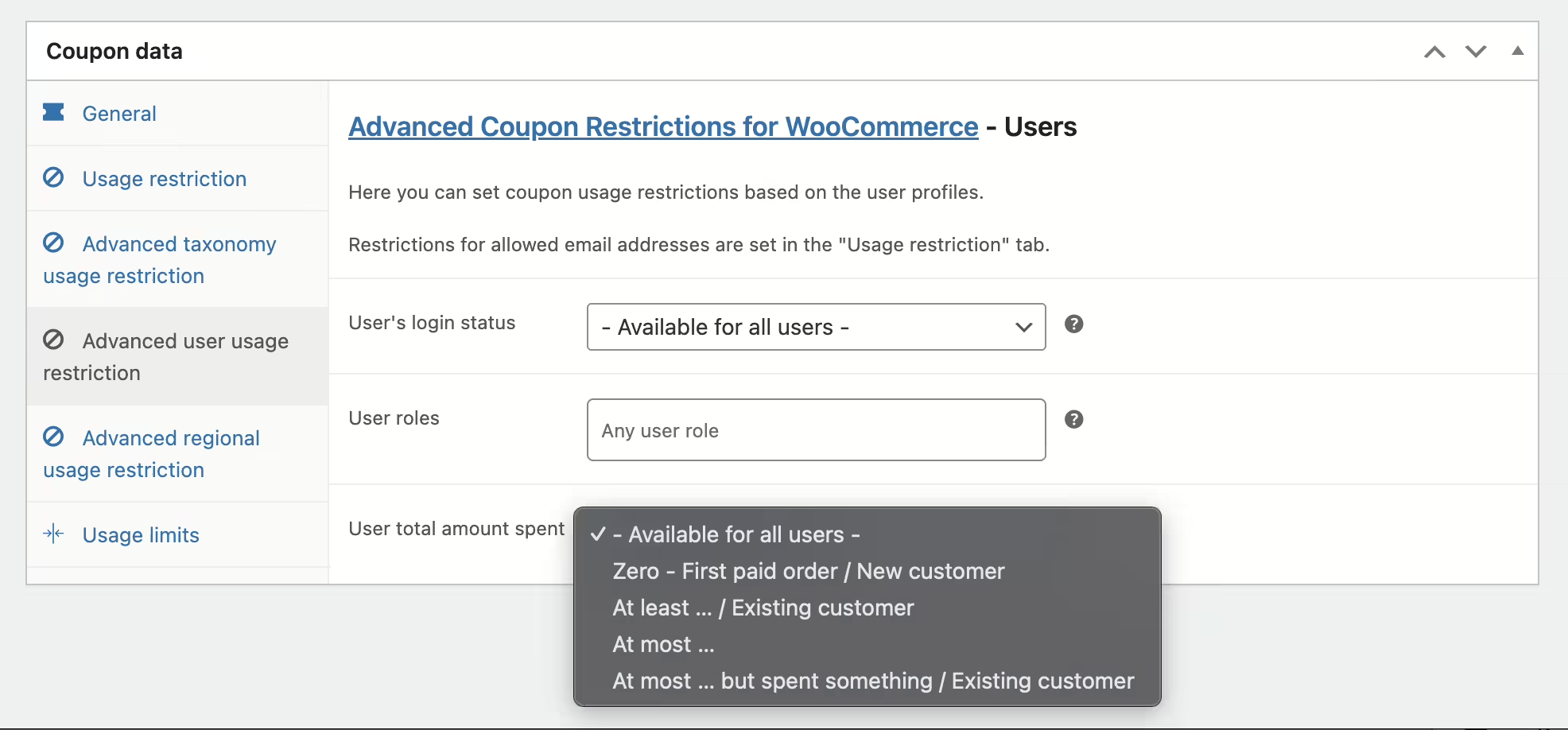
On the “Advanced user usage restriction” tab, target coupons at logged-in or guest shoppers, or at chosen roles like retail, B2B or special customers. The roles list also has a “Guests (not logged in)” entry, so one coupon can cover roles and guests at once.
You can also restrict by how much a logged-in customer has spent: “Zero” for new customers, “At least …” for your most active, and “At most …” to nudge the quieter ones to spend more.
Reserve a coupon for one customer, or block one outright
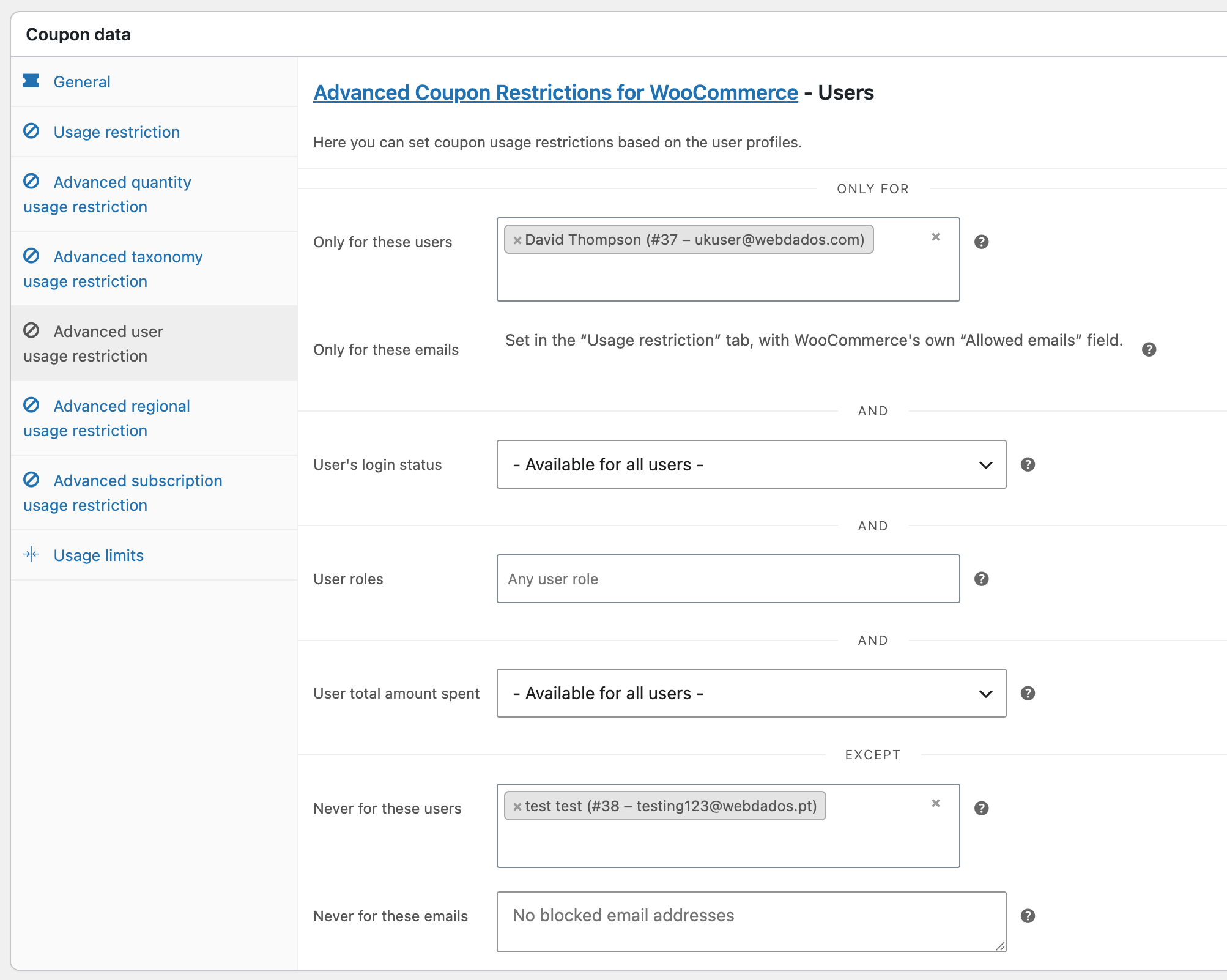
WooCommerce restricts coupons by email address, but it matches that address against whatever billing email is typed at the checkout, and never checks the shopper owns it. Anyone who knows the address can enter it and get the discount. The “Only for” section restricts by customer account instead: pick the customer and only they can use it, because they have to be signed in as that person.
The “Except” section does the reverse. Block chosen accounts, or block email addresses outright, with a wildcard to stop a whole domain at once. Blocked addresses are checked against the email entered at checkout too, so they work for guest shoppers.
Location, Location, Location
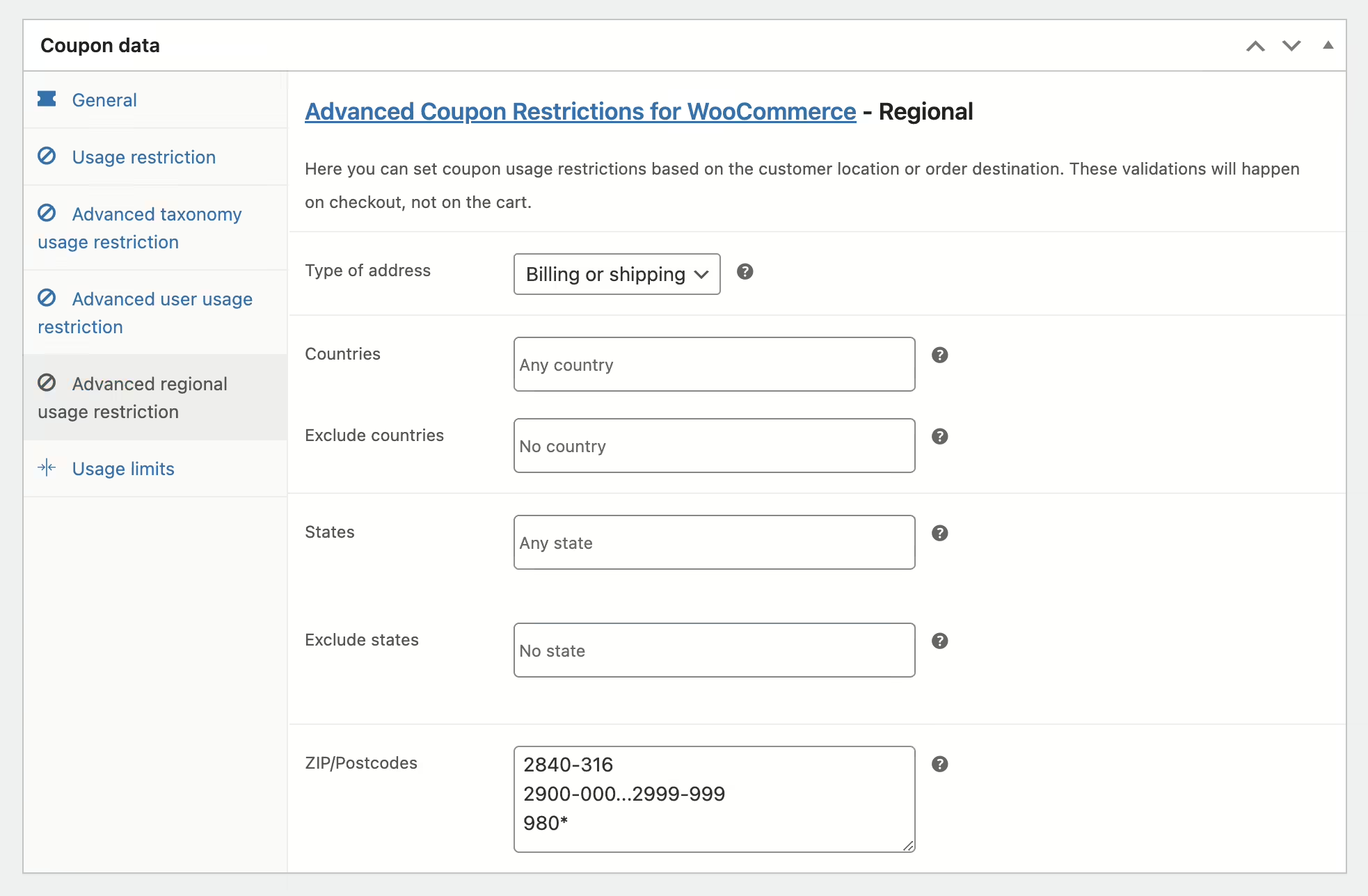
Use the “Advanced regional usage restriction” tab to make it all about the location!
Target or restrict your coupons by Billing or Shipping Country, State / District / Province, and even specific ZIP / Postcode (including support intervals and wildcards).
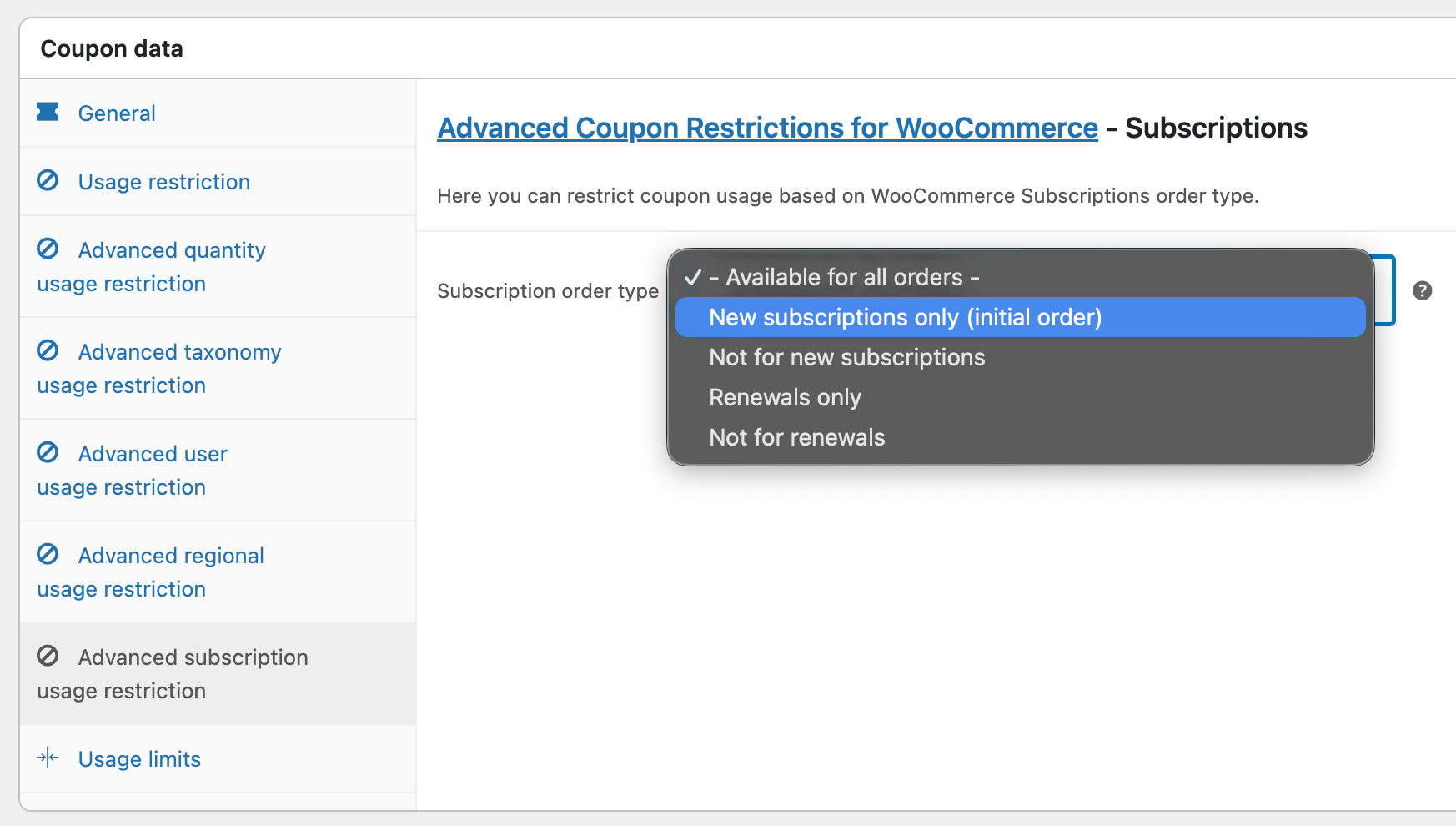
Coupons for subscriptions, renewals, or neither
Running WooCommerce Subscriptions? A sign-up promotion that quietly keeps discounting every renewal for years is an expensive mistake, and the usual workaround is to remember never to reuse that coupon.
The “Advanced subscription usage restriction” tab decides it for you. Make a coupon valid only on a new subscription’s first order, only on renewals, or exclude it from either. Set “Not for renewals” on your welcome offer and it discounts the first payment and nothing after it.
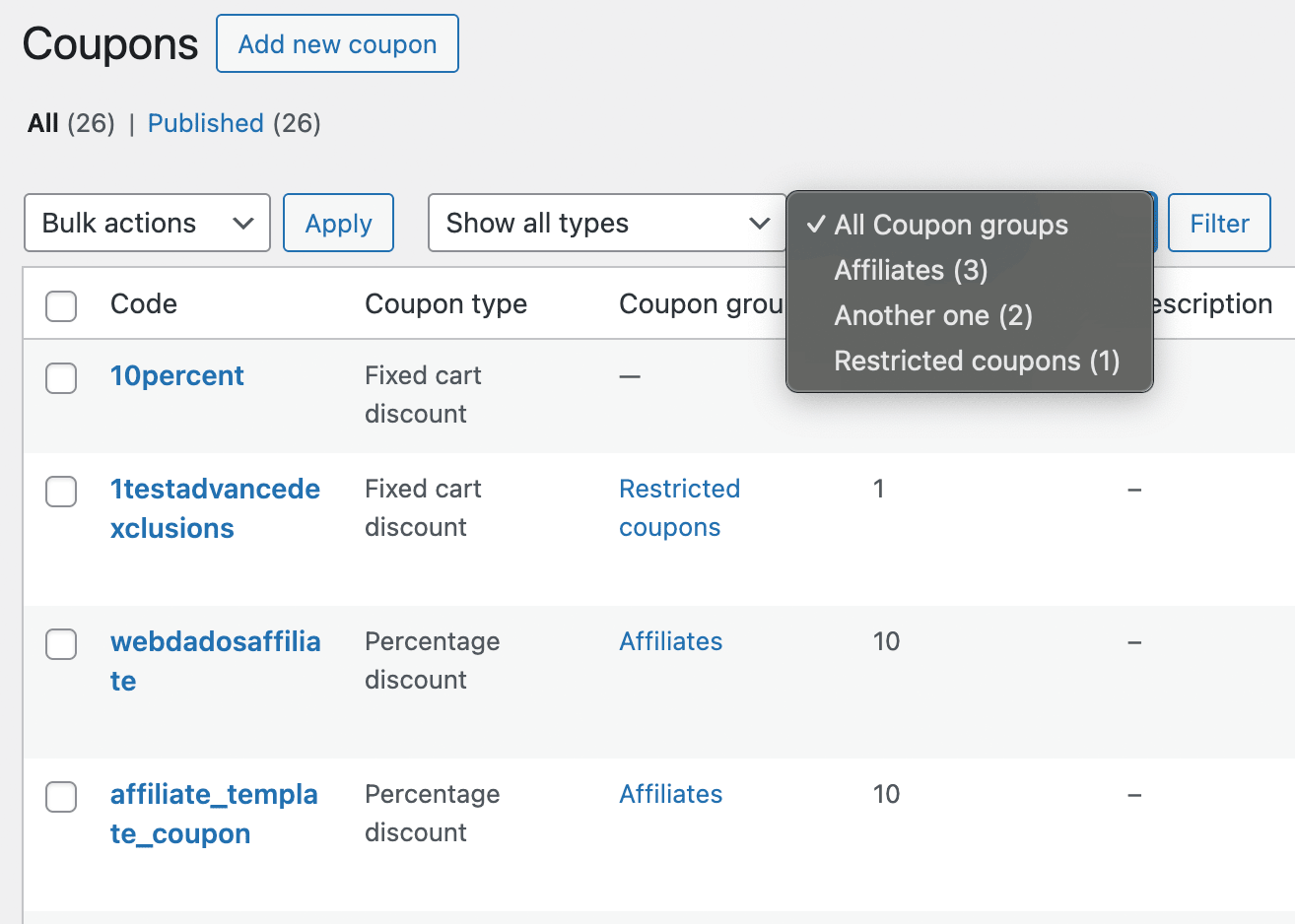
Managing thousands of coupons? Use Coupon groups
Start organizing your WooCommerce Coupons just like you do with products or blog posts: with taxonomies.
This plugin creates a custom taxonomy called “Coupon groups” so that you can organize and filter your coupons easily.
The coupons list also links each coupon’s usage count straight through to the orders that used it, so you can see who actually redeemed it without building a search.
Technical support and continued development
- By choosing to buy this plugin, you’ll get:
- Technical support (conditions apply);
- All the functionalities listed above;
- Continued development and compatibility with the latest versions of WordPress and WooCommerce;
- Automatic updates;
- Installation and initial configuration via remote session (optional);
- High-Performance Order Storage compatible;
- Block-based Cart and Checkout compatible;
- WPML (with WooCommerce Multilingual) compatible;
Try before you buy it
Starting at 2.92 € a month
Single |
Dual |
Business |
Developer |
|---|---|---|---|
|
For 1 website
|
For 2 websites
|
For 5 websites
|
For 10 websites
|
35 € 39.39 $per year |
20% volume discount 56 € 63.02 $per year |
40% volume discount 105 € 118.17 $per year |
50% volume discount 175 € 196.95 $per year |
|
LIFETIME LICENSE 131 € 147.43 $one-time payment pagamento único |
LIFETIME LICENSE 210 € 236.34 $one-time payment pagamento único |
LIFETIME LICENSE 394 € 443.42 $one-time payment pagamento único |
LIFETIME LICENSE 656 € 738.29 $one-time payment pagamento único |
Show prices in (charged price) | (approximate price)
Current version: 2.2 Changelog Documentation & FAQ Report security issues
If you discover an issue within 7 days of buying a plugin and our support cannot resolve the issue, you can request a refund. Read the full refund policy.
You're buying limited technical support and automatic updates for this WordPress plugin for one year, with automatic renewals, which you can cancel anytime in your customer area. There's also a lifetime option which doesn't require annual payment.
The technical support, via tickets in your customer area, is limited to the plugin's publicly advertised features and does not include the usage of developer hooks or interoperability with 3rd party plugins or themes. No refunds are issued based on non-advertised features and any eventual refund is only issued at our discretion. For premium support via the phone or remote access, you need to buy premium support hours.

Reviews
There are no reviews yet.