Quickly create approval rules for your WooCommerce shop orders
Quickly create approval rules for your WooCommerce shop orders based on the customer origin, shipping destination, product categories, single products, and other rules.
Pre-approve all WooCommerce orders
All shop orders must be approved by the shop manager or administrator before payment.
Use case example: Your shop does not manage stock, and you need to check for it before letting the customer pay for the order.
Another use case: An accommodation or service booking website where availability must always be confirmed before allowing payment.
Pre-approve orders based on the customer’s user role
Orders entered by specific user roles or guest users will need to be approved.
Use case example: You need to pre-approve orders from professional or B2B customers.
Pre-approve orders based on the subtotal
Orders above a certain value (excluding taxes, fees, and shipping) must be approved.
Use case example: You need to make some verifications before accepting high-value orders.
Pre-approve orders based on the customer’s country and/or state
Orders in which the billing or shipping country/state is on the approval list must be approved.
Use case example: Your shop often gets fraudulent orders from certain countries.
Pre-approve orders for certain WooCommerce shipping zones
Orders belonging to specific WooCommerce shipping zones need to be approved.
Use case example: You don’t have a shipping costs table for some destinations and need to request a quote from the shipping company.
Pre-approve orders depending on product categories
Orders containing products from specific categories need approval.
Use case example: You’re selling some products for which you need to confirm legal details with the customer, such as weapons, prescription drugs, or alcoholic beverages.
Pre-approve WooCommerce orders for some products
Orders containing specific products need approval.
Use case example: You need to check stock before shipping.
Pre-approve orders containing products on backorder
Orders containing products on backorder need approval.
Use case example: You need to check stock and delivery time with your supplier.
Build your own approval rules with a developer filter
Specific user roles can be excluded from approval
Orders entered by specific user roles will never need to be approved.
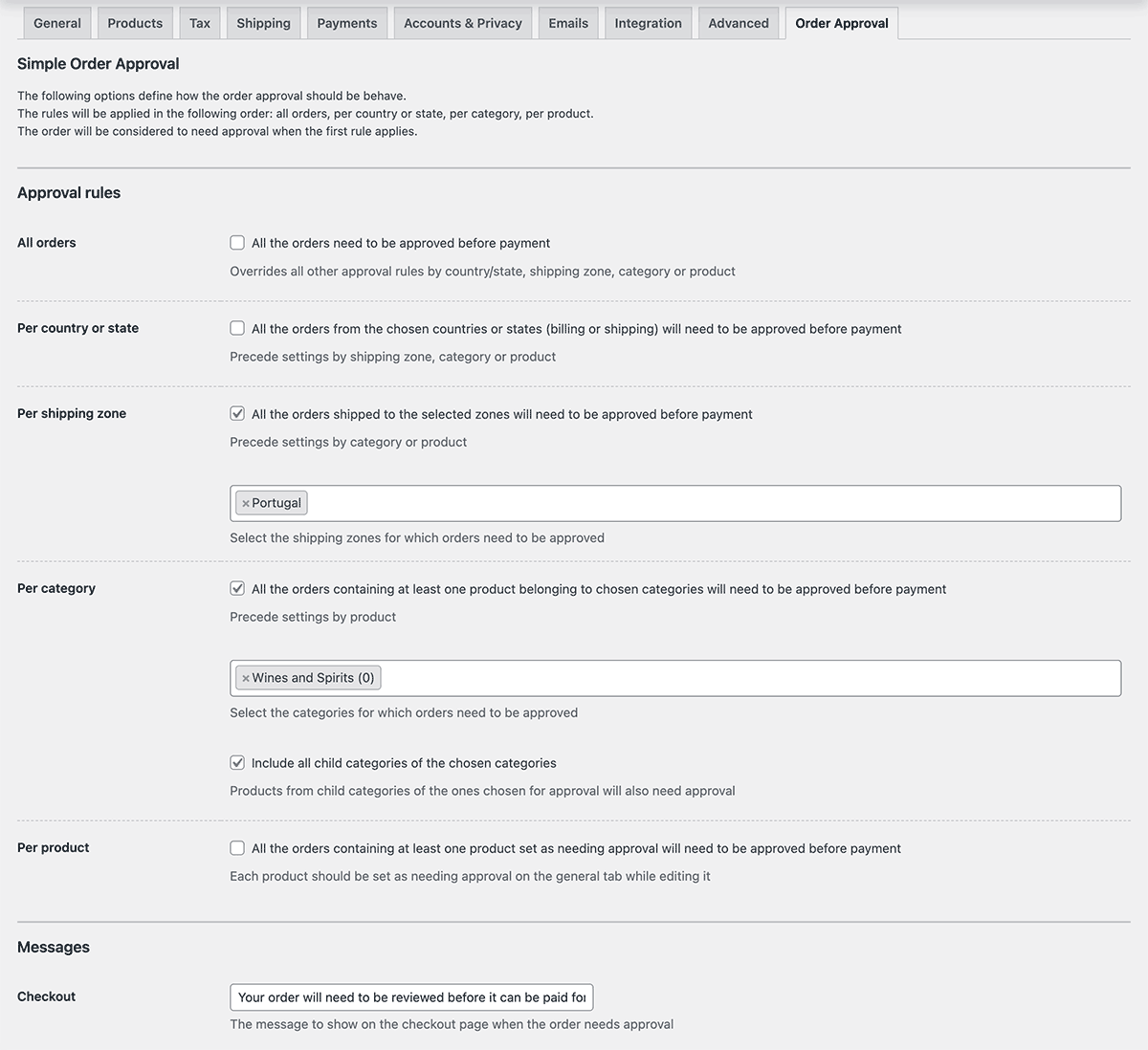
There’s a centralized dashboard where you can set all the pre-approval rules quickly and easily.
Only per-product approval needs to be set on each product on the general tab.
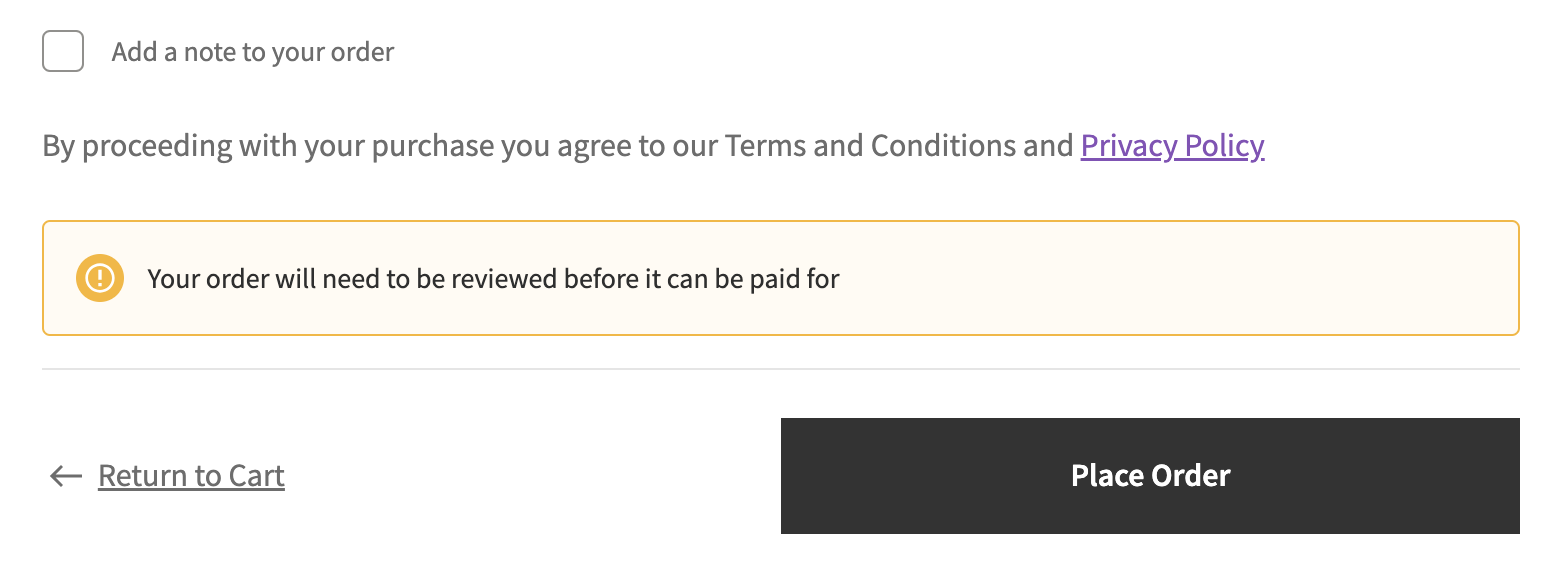
You can also set the checkout and order received messages to your customer, indicating this order will need approval before payment.
Keep your customer and yourself up to date with the order status
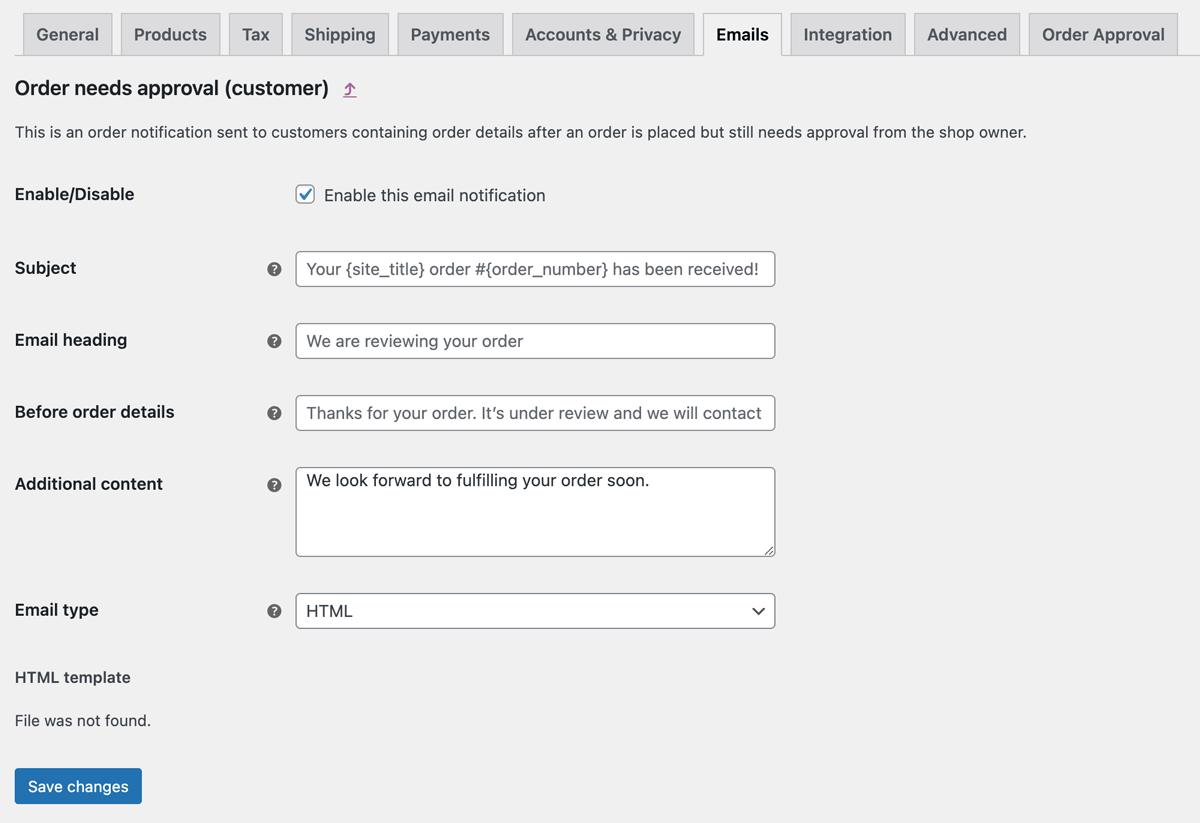
Two new emails are available after installing the plugin: “Order needs approval” and “Order approved”.
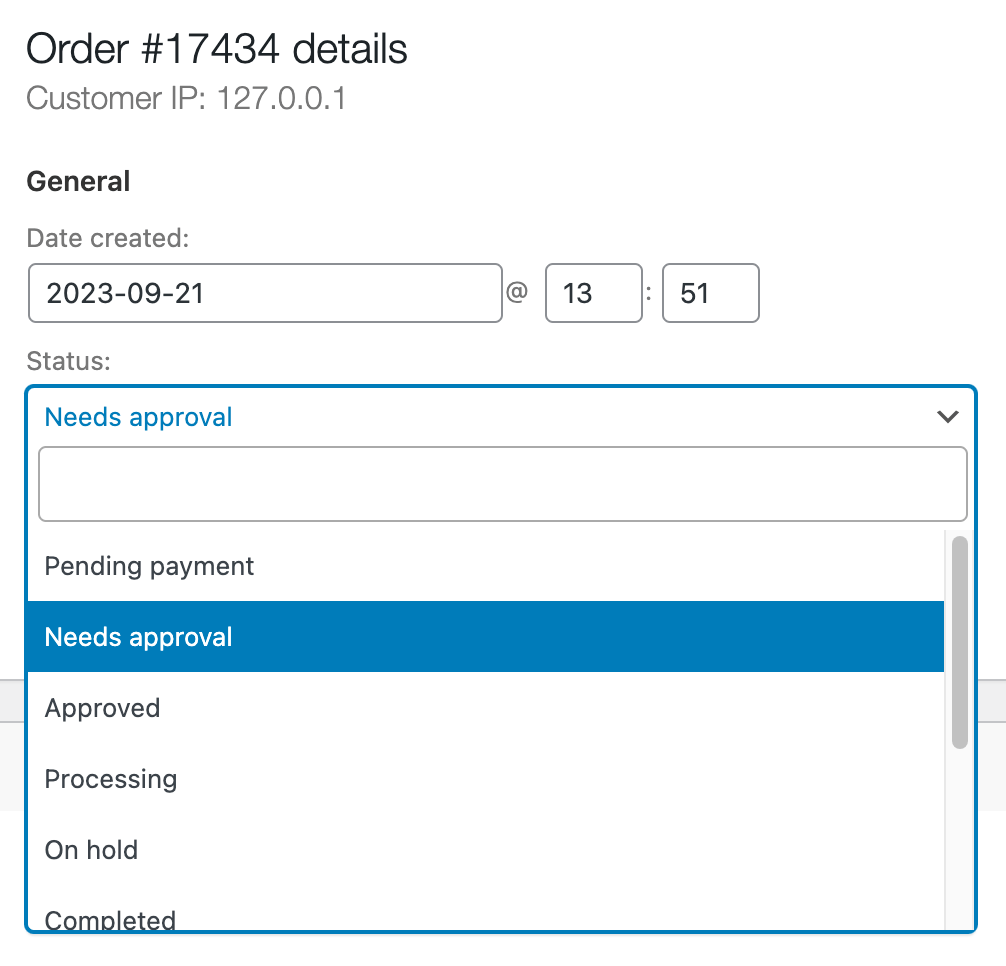
There’s also a specific “Order needs approval” status for the store owner, so you can act quickly on new orders that need pre-approval.
Simple workflow
This plugin was built after trying other solutions that are just too complicated. We try to keep it stupid simple. After you set up the approval rules, the workflow is as simple as possible:
Based on the rules, during checkout, the customer will be informed that their order will need to be approved, and no payment options will be shown;
The order is set to the “Needs approval” custom status, and both the customer and the shop administrator are notified via email.
The shop manager or administrator checks the order and approves it by changing it to the “Approved” status*. The customer receives an email informing them that the order is now payable, with a link to select a payment method.
After payment, the regular WooCommerce workflow resumes.
* You can change the status from within the order edit screen, or using our custom action buttons on the orders list screen.
Compatibility, technical support, and continued development
If you discover an issue within 7 days of buying a plugin and our support cannot resolve the issue, you can request a refund. Read the full refund policy.
Se descobrir um problema no prazo de 7 dias após a compra de um plugin e o nosso apoio não conseguir resolvê-lo, pode solicitar um reembolso. Leia a política de reembolsos completa.
You're buying limited technical support and automatic updates for this WordPress plugin for one year, with automatic renewals, which you can cancel anytime in your customer area. There's also a lifetime option which doesn't require annual payment.
Está a comprar suporte técnico limitado e actualizações automáticas deste plugin WordPress por um ano, com renovações automáticas, que pode cancelar a qualquer momento na sua área de cliente. Também existe uma opção lifetime que não necessita de renovação anual.
The technical support, via tickets in your customer area, is limited to the plugin's publicly advertised features and does not include the usage of developer hooks or interoperability with 3rd party plugins or themes. No refunds are issued based on non-advertised features and any eventual refund is only issued at our discretion. For premium support via the phone or remote access, you need to buy premium support hours.
O suporte técnico, através de tickets na sua área de cliente, está limitado às funcionalidades publicamente anunciadas do plugin e não inclui a utilização de hooks de programador ou a interoperabilidade com plugins ou temas de terceiros. Não são emitidos reembolsos com base em funcionalidades não anunciadas e qualquer eventual reembolso só é emitido à nossa discrição. Para obter suporte premium por telefone ou acesso remoto, é necessário comprar horas de suporte premium.




NZHockeyTape –
Great little plugin, great support when troubleshooting an issue that was actually nothing to do with the plugin
Naked Cat Plugins –
🙏
AU MWEB –
Super module et support technique au top
Je recommande à 100%