
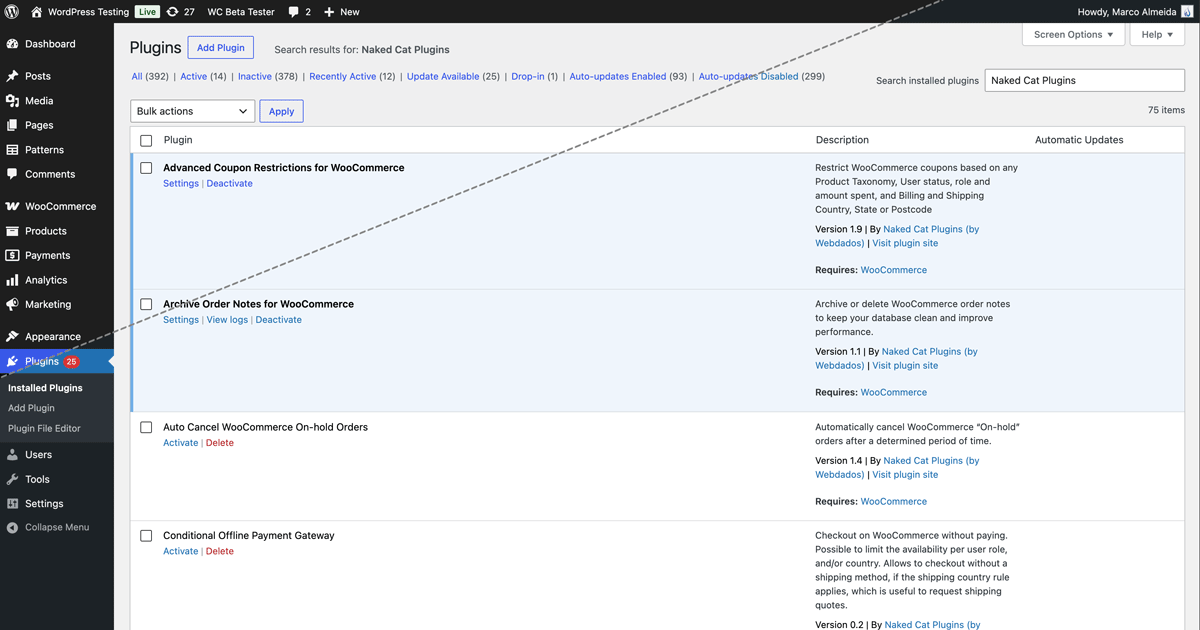
WordPress 7.0 introduces a visual refresh of the wp-admin interface. The goal is to modernise the look and bring older screens closer to the Gutenberg block and site editor design system. It focuses on UI consistency, spacing, typography, buttons, tables, and notices, not on drastic functional changes.
One of the most noticeable changes is that the (previously called) Modern colour scheme becomes the default. While this aims to give the admin dashboard a cleaner, fresher look compared to the older default style, it might not be to everyone’s taste. We are all a bit “Velho do Restelo” sometimes (a Portuguese saying for “creature of habits”).
If you want to get that less-intrusive cool blue back, you just need to change the Administration Color Scheme on your profile to the Fresh palette. It might not be 100% the same as the old default, but it’s as close as it gets. Here are the steps:
- Log in to WP Admin
- Click your name in the top right corner of the window
- In “Administration Color Scheme”, choose “Fresh”
- Click “Update Profile”
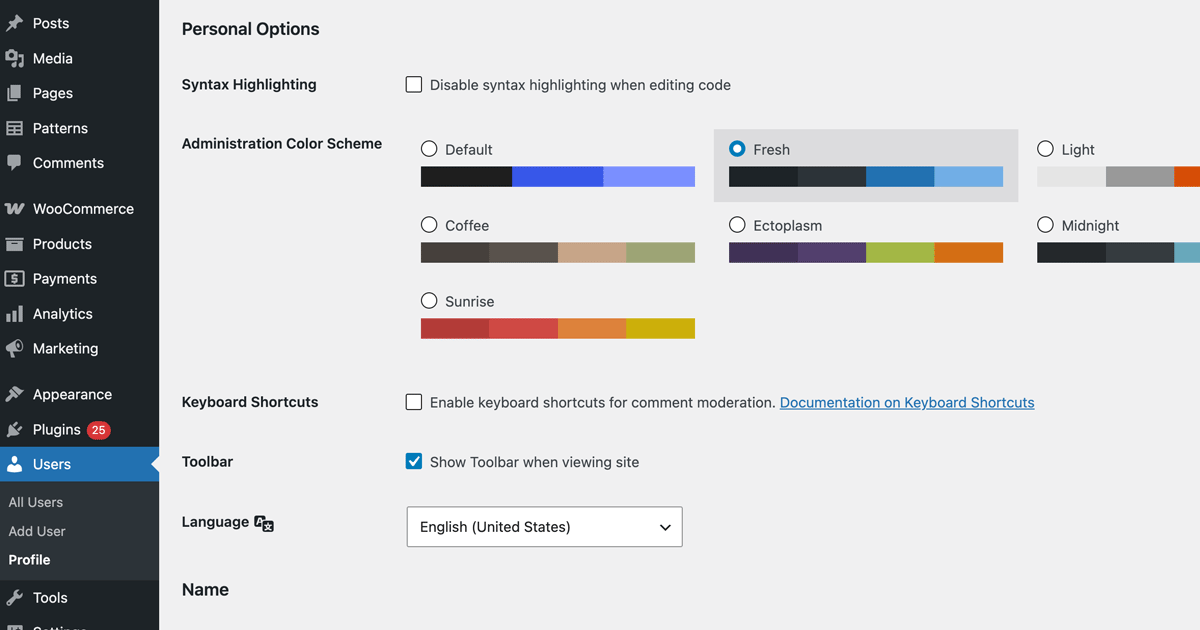
Keep in mind this is a user-level setting, not a global setting, so other users on your website also need to do the same if they want to restore the old color scheme.